

I have long been a “gardener” of my travel reservations. That is to say that I regularly check flights and hotels that I have already booked to see if the prices have dropped. If I’m being honest, much like my award search habit, gardening of my reservations is an obsession that sometimes takes more of my focus away from work/family/life than I’d like. I’ve mentioned in posts and podcasts how award search tools and award alerts have helped relieve some of my mental obsession with constantly searching for better award space. Recently, a tool was put on my radar that serves a related and useful function, but for paid flights. Autopilot is a site that monitors your paid flight bookings and automatically reprices you when the price drops, charging you 25% of the savings. They offer a Pro version that can similarly monitor award reservations for price drops and that reduces the fee on revenue fares. I was really intrigued by the way this could reduce the mental bandwidth of continuously thinking about re-searching and rebooking, so I’ve taken this for a cursory spin.
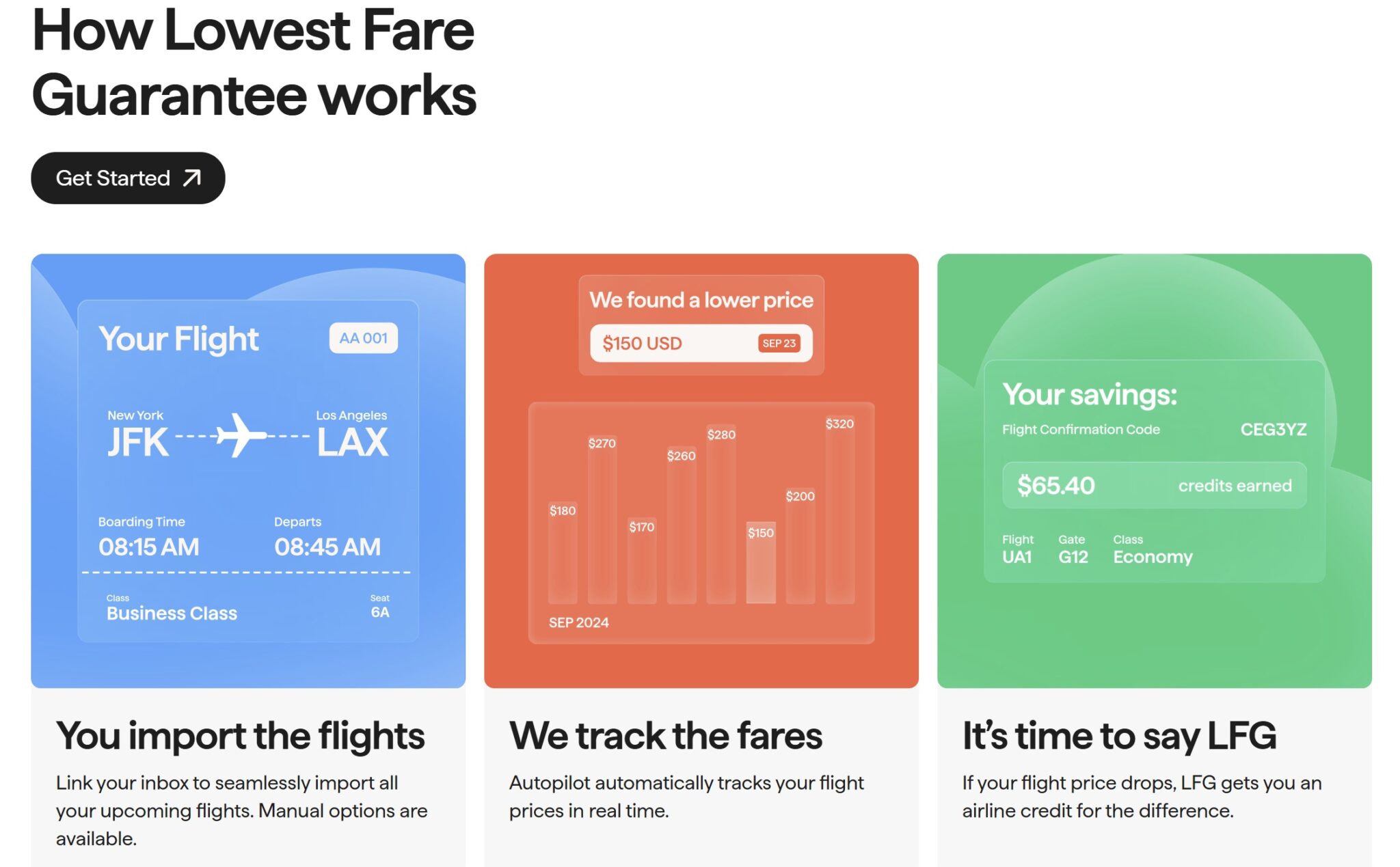
Autopilot’s core feature is gardening your paid flight reservations (including repricing them for you)
The core feature of Autopilot is simple: you provide the tool with your reservation information (either by manually entering your booking info, forwarding your flight confirmations, or allowing it to scan your Gmail), and it monitors for price drops. If the price of your flight drops by $20 or more, Autopilot automatically reprices you, getting you an airline credit for the difference.
The idea here is that the tool does the heavy lifting: it searches for a lower fare and handles the repricing, so the user neither has to spend time monitoring nor spend time rebooking.
I personally like that they offer the user the choice as to whether to enter the confirmation/airline information manually, forward the email confirmation, or allow email scanning. Personally, I wouldn’t consent to having my email scanned for reservations, but I was OK with entering my confirmaiton information (though do keep in mind that you’ll need to provide info like your date of birth and address and that Autopilot will be able to pull your frequent flyer information from your reservation).
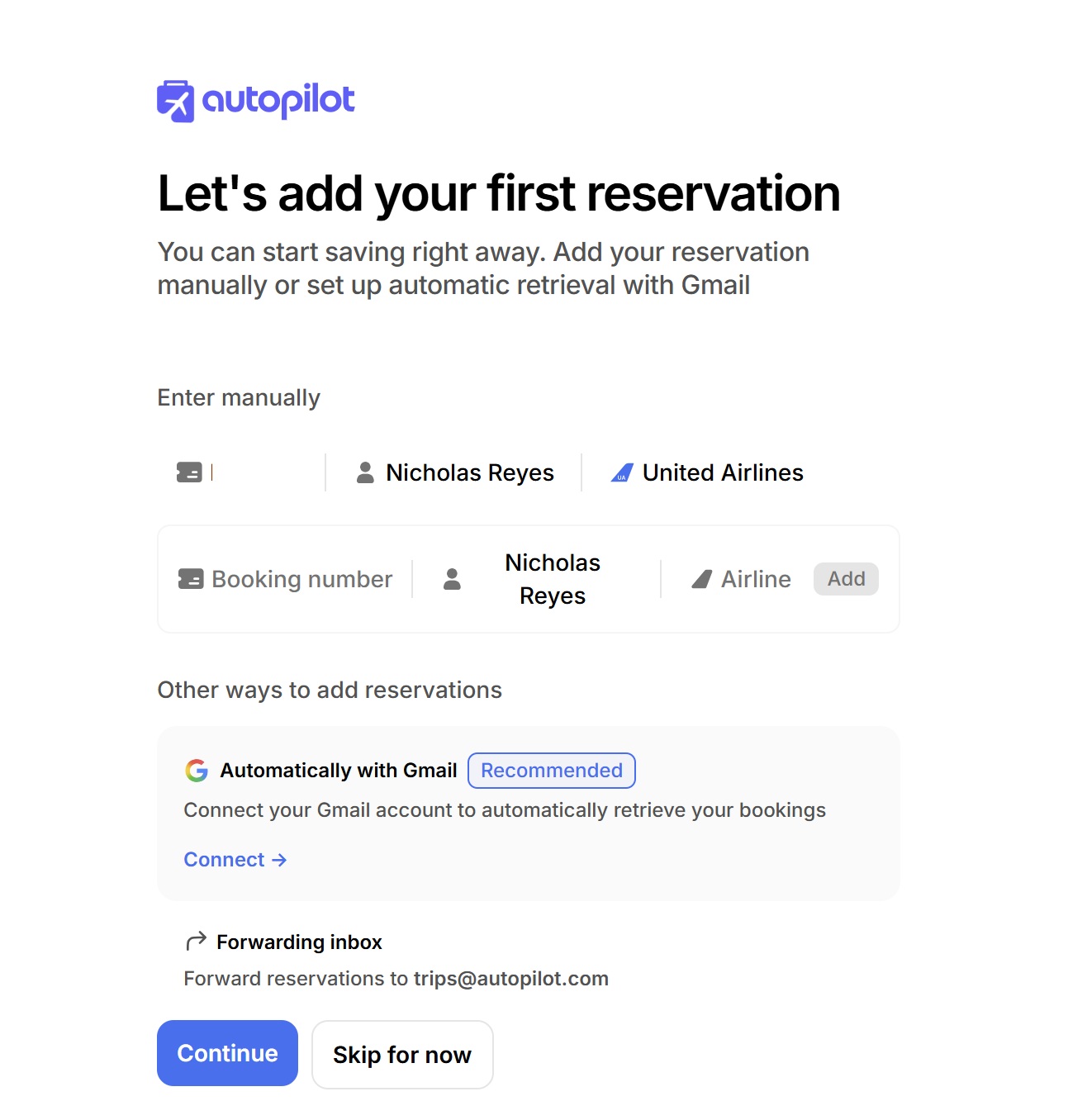
Autopilot claims to only switch users within the same fare product. In other words, if you’re booked in Economy, you won’t be changed to Basic Economy. If you’re booked in first class, you won’t be rebooked in economy. In fact, according to Autopilot, it won’t change your flight, your cabin, or even your seat; it’ll just reprice you into a lower fare if a fare becomes available in the same cabin/class of service that is $20 or more less than your previous ticket price.
Note that your exact fare class (the letter associated with your fare bucket) may change, but the promise is that they won’t switch you to a different product (i.e. from Economy to Basic Economy), presumably because they know which fare classes are associated with which product type. That said, those who need to book specific fare classes for one reason or another (perhaps for upgrade priority or other restrictions) may not find this tool to be a fit.
I love the idea of automating the process of both hunting for a lower fare and repricing, particularly on airlines where I’d regularly use fare credits. For instance, I have a lot of United Travel Bank credit, so I have been trying to prioritize booking United flights where possible. Rather than trying to predict when a low fare has hit for my trip, I like the idea of booking an available fare now and letting Autopilot track it for price drops.
To be clear, a tool like Google Flights is also capable of monitoring the price of a specific flight or itinerary for free and alerting you when prices have changed. The key difference here is the automated repricing, which is where Autopilot charges a fee. For the sake of science, I’m setting Google Flights alerts for the same flights that I’m tracking with Autopilot so that I can test the speed with which I get repriced by Autopilot versus the speed with which I might have been able to rebook myself otherwise.
Autopilot’s two pricing structures
AutoPilot offers two separate pricing structures that they describe as “Pay Per Win” or “Go All-in”.
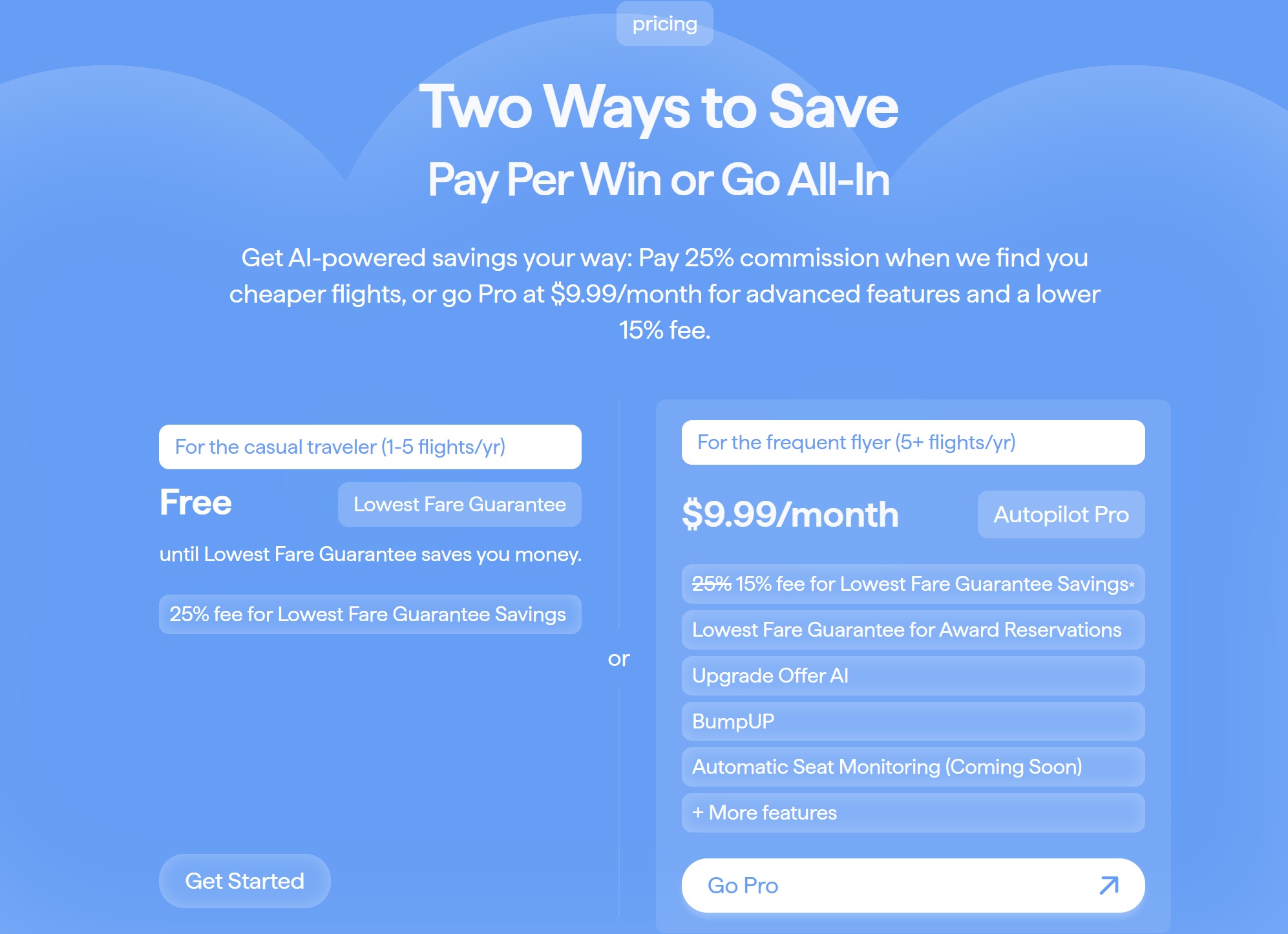
I signed up for the “Pay Per Win” plan (the left side above). It doesn’t cost anything up front, but I put a credit card on file with Autopilot and when they find a fare that is at least $20 less expensive than the fare on which I am booked, the tool will automatically reprice me and charge 25% of the savings to the credit card on file.
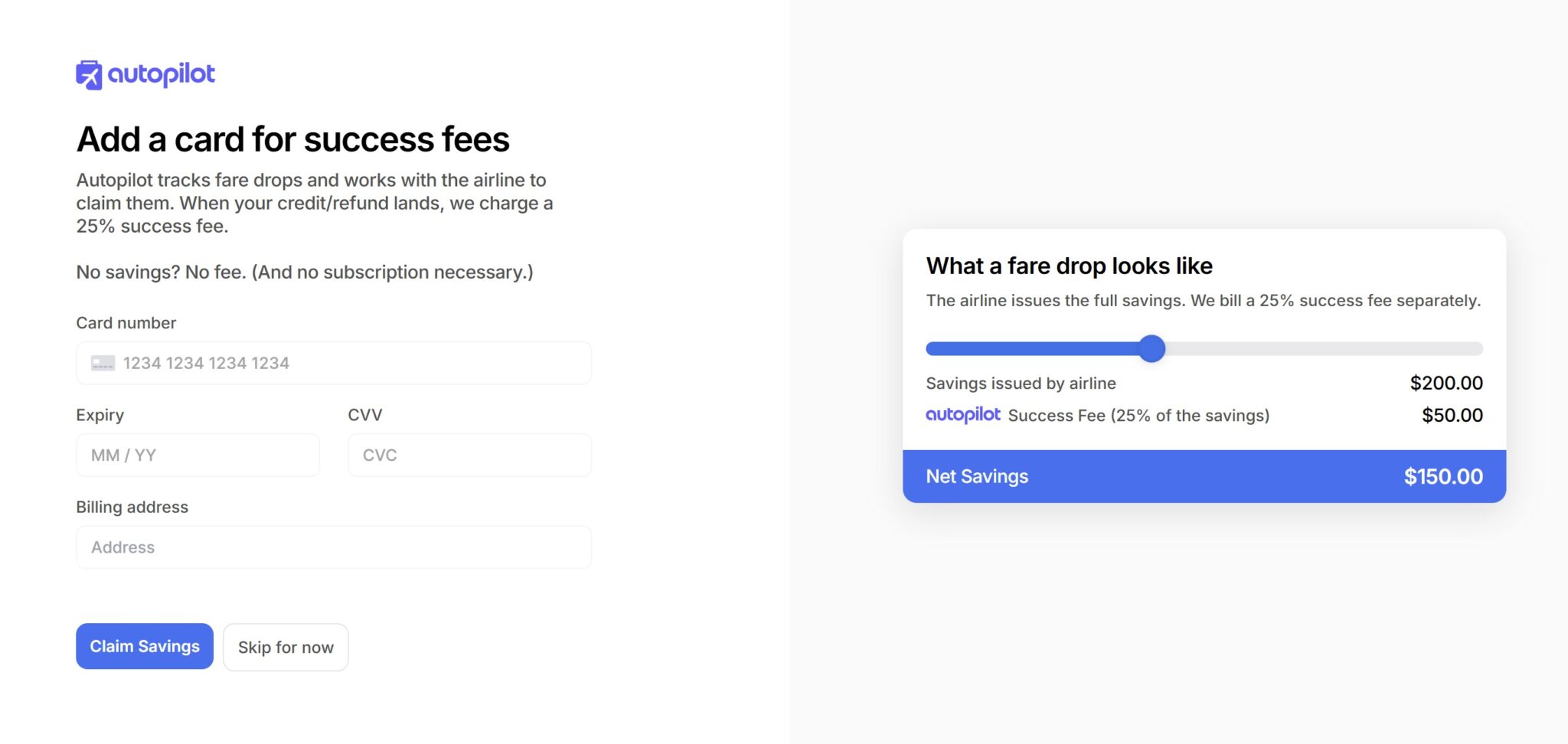
In other words, if you track a flight for which you paid $1,000 and the price later drops to $900, Autopilot reprices the flight at $900, getting you a $100 airline credit, and Autopilot charges $25 to the card you have on file with Autopilot (25% of the $100 savings). Any time the price drops by another $20 or more, Autopilot reprices the reservation for a fee of 25% of the savings. In other words, if the price later drops to $880, Autopilot would reprice again and charge an additional $5 fee (25% of the $20 savings).
Those who are accustomed to gardening reservations and who enjoy realizing those wins themselves may find the 25% fee to be too steep. And in cases where I’d expect the potential for a substantial swing, like something to the tune of many hundreds of dollars at a time (particularly for multiple passengers), I might prefer simply using Google Flights to track prices and to rebook myself. On the other hand, I think the combination of mental bandwidth savings and time savings could appeal to some. I can see value in being able to set it and forget it in situations where I expect more modest savings of less than $100 at a time or in situations where the automation is a big value-add. I think the utility will really vary by user. If you are very time-pressed and/or unable to drop things to rebook when an airfare changes (like if your job dictates that you are separated from your phone for hours at a time), I could see valuing this tool quite a bit. If you have a lot of free time and are generally available and happy to rebook when Google Flights alerts you to a fare difference, this tool probably isn’t going to appeal to you.
In my own case, I know there are times when I have seen a price change but haven’t bothered to take the time to rebook because other priorities took precedence over a twenty or thirty dollar savings. And I imagine that a teacher or doctor might find this especially useful since they may not be available to rebook when the price drops. I like the idea of automating the process for a relatively small fee. Your mileage may vary.
The “Pro” tier, which costs $9.99 per month, drops the fee to 15% and adds the ability to track award reservations for price drops as well (though my understanding is that you need to rebook awards for yourself; the system will notify you when the award you have booked has dropped in price so that you can cancel and rebook your own award ticket).
I could see that feature potentially being useful for dynamically-priced awards. We have often mentioned on the podcast that American Airlines award pricing can be like a slot machine in that the price sometimes changes if you just repeat a search a few times within the space of 10 or 15 minutes. Being notified when the price drops could be very helpful.
That said, many popular award search tools offer the ability to set an award alert on a particular route. Points Path even offers the ability to track award pricing on a specific flight (even one with no award availability at the time when you track it). I wouldn’t necessarily find the Pro version of Autopilot compelling for its award price alerts, particularly given the limited number of airlines they currently support. In my opinion, the killer feature for Autopilot is being able to automatically rebook revenue fares when the price drops. If you fly often enough to make use of that regularly, it certainly might be worth paying $10 a month to reduce the fee to 15% of the savings.
How much would you pay for airline credit?
Whether or not this service is worth it to you comes down to two things: time and willingness to prepay for airline credit at 25% of face value.
I addressed time savings above. Some people are likely to value the time savings, and others aren’t likely to value it much, but you can likely gauge that up quickly for yourself.
It is also important to consider how much you would be willing to prepay for an airline fee credit, which relies heavily on the likelihood of using that credit.
Here’s what I mean: If you spend $1,000 on a flight that later drops to $900 and Autopilot reprices you, then you will be out of pocket for another $25 since Autopilot will charge you $25 for the flight savings. Now you’ll have spent $1,025 instead of $1,000 for that flight + $100 in airline fee credit.
Would you have been willing to pay $1,025 for the flight + $100 in flight credit? That’s a deal that some people would naturally take, and others would naturally reject. If you are very confident that you’ll use the airline fee credit before it expires, then you would naturally be more likely to prepay for that credit. If you aren’t very confident that you’ll use it, though, you probably wouldn’t want to prepay for it. And, to be clear, what Autopilot offers is a little different than that example in that you aren’t deciding up front to buy the flight + $100 in airline credit, but rather agreeing to pay for that $100 in airline fee credit at some later, unknown time if it becomes available.
I therefore see this tool appealing far more to a frequent traveler than someone who only travels a couple of times per year. I travel enough that I would probably be a buyer of airline credit at 25% of face value, but I know people who wouldn’t be buyers since they probably wouldn’t use the fee credits.
Not many airlines supported yet, but they are expanding
Autopilot currently supports American, Delta, and United. That obviously represents substantial coverage within the US.
However, it also leaves some big gaps. Unfortunately for me, Autopilot does not yet cover Southwest, which is my preferred airline domestically. I am told that they are testing support for JetBlue and Alaska, with Southwest expected to follow sometime thereafter.
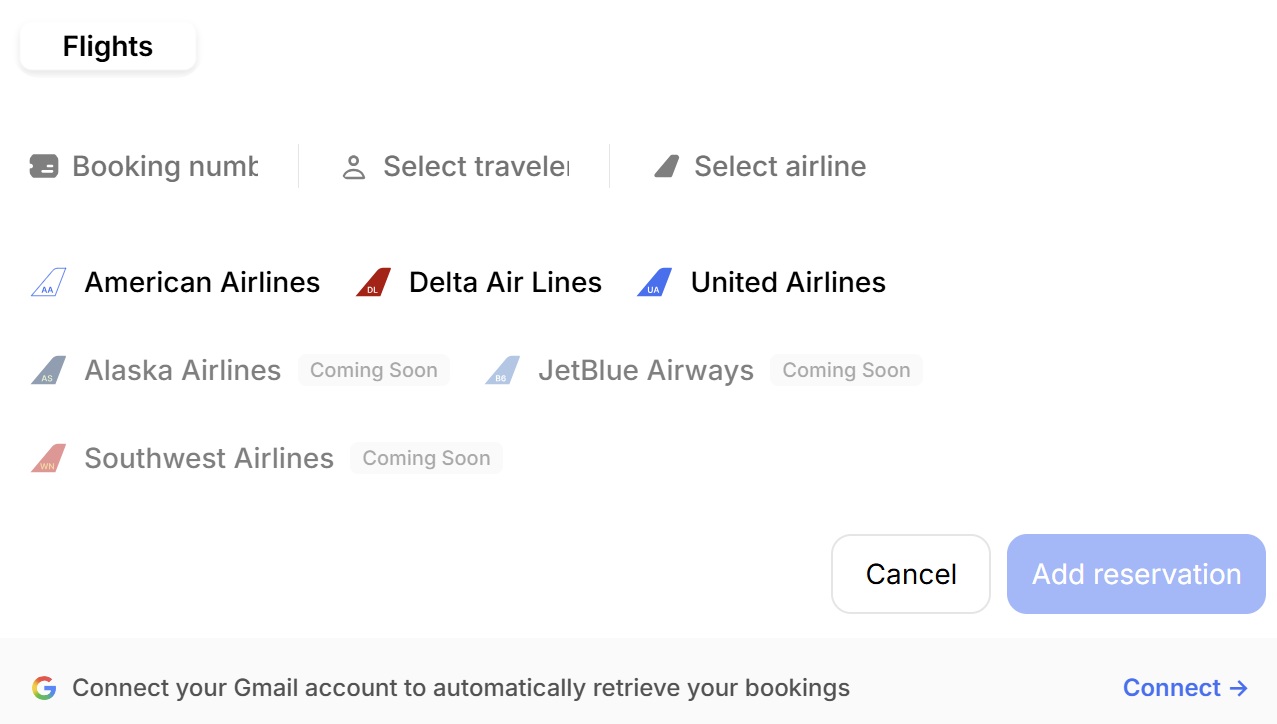
Unfortunately, that limits the utility for me for the time being. I’d particularly like support for Southwest, but it sounds like that won’t be one of the next couple to come out.
Still, if the model/pricing works and you’re flying on a supported airline, I could certainly see this having appeal.
Other features listed under “coming soon” include automated seat monitoring, where the tool with automatically move you to your preferred seat if it becomes available. It also sounds like they are looking to expand to hotel bookings, which would be a mixed bag for me (I wouldn’t want to pay for rebooking all of my speculative hotel bookings!), but I could see it being very useful in some circumstances.
You can track for others and turn tracking on or off
As a family traveler, I like that I can also track reservations for the rest of my family (this would be particularly useful for us when flying Southwest since we hope to have two companion passes and will thus have multiple PNRs to track, though that also points to an area of potential challenge for Autopilot in automating the process). If I also managed travel plans for other family members, I could track it all in my account (though of course savings fees would be charged to my card).
I also like that I can turn off tracking if I don’t want Autopilot to continue to monitor a particular flight.
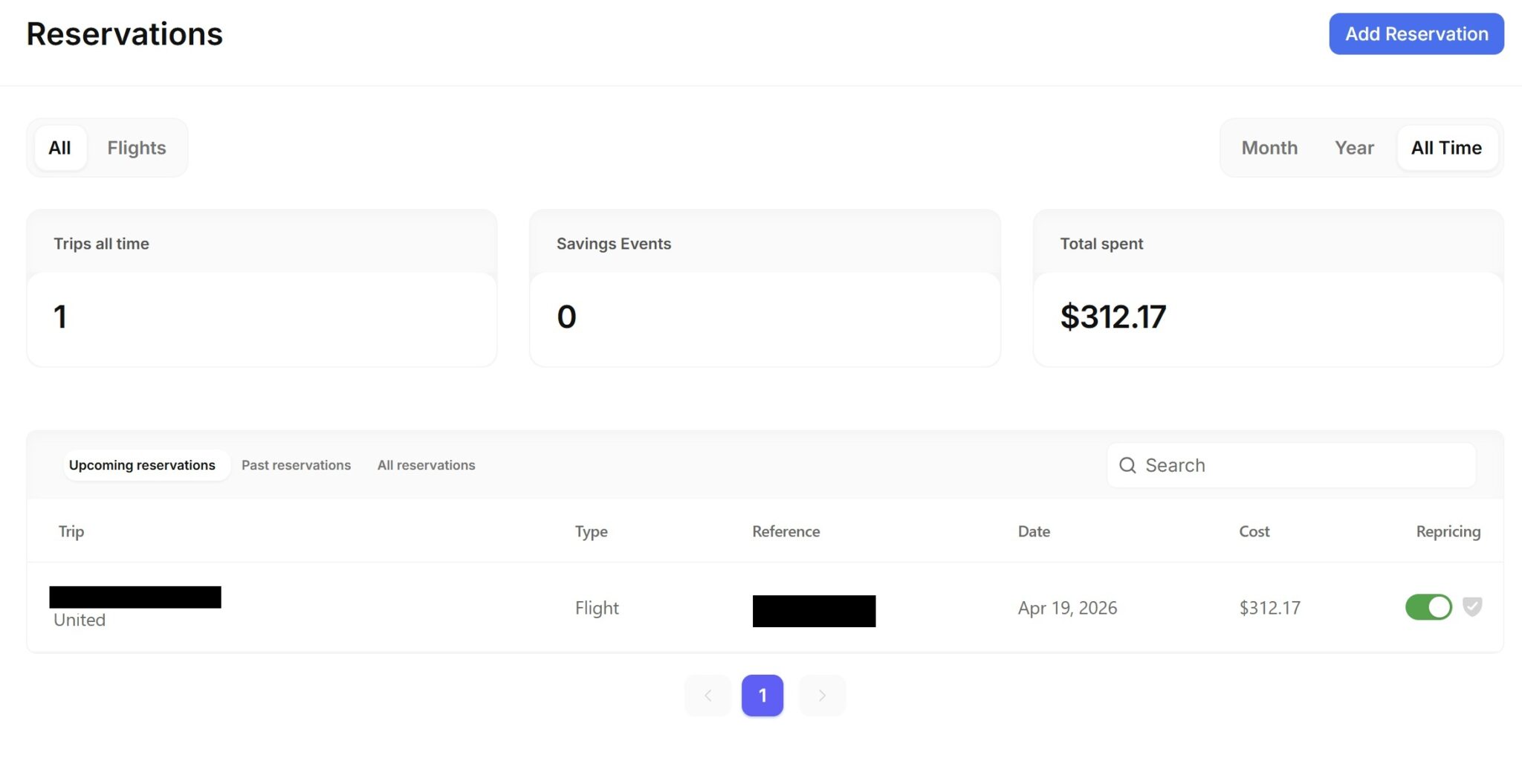
I’m not necessarily sure where I’d want to turn that off, but I appreciate having control in case I wanted to stop the engine from continuing to reprice my itinerary.
Keep in mind that you are authorizing Autopilot to manage reservations
It is worth highlighting the fact that agreeing to Autopilot’s terms and conditions means authorizing them to act as your agent and make modifications to your booking without prior notification. That type of authorization is obviously necessary to allow them to reprice your flight automatically. However, if something goes wrong, you may have limited recourse.
In fact, Autopilot’s terms and conditions indicate that there is no guarantee of successful modifications. Since the systems appear to be automated, I would both assume that things will generally operate as expected and that, as with any automated system, there is the potential for error. There is obviously some risk in allowing another entity to make changes on your behalf.
Personally, I’d probably find the juice to be worth the squeeze in most cases, though I might be more apt to track and rebook a particularly important flight for myself (instead of tracking through Autopilot), at least until I got more comfortable and experienced with the platform.
I’m also not positive as to the impact of credit card protections when your flights are being repriced, so you’ll want to do some research if in doubt.
Bottom line
Autopilot seems like an interesting concept since it not only monitors your bookings for price changes but automatically reprices your flight when the price drops. There’s no subscription model necessary, so you only pay a fee when they lock in a savings of $20 or more. That will make the service appealing to some, though the 25% fee may be steep for others. I suspect that the appeal will vary by situation, but I’m pretty happy to alleviate the need to continually search for savings on those bookings that I care to let them track. I’ll be more excited if and when they launch support for Southwest Airlines, though I’ll be happy to let them search for better deals on some of my upcoming United flights this year.
 Want to learn more about miles and points? Subscribe to email updates or check out our podcast on your favorite podcast platform.
Im having some technical difficulties. But can’t seem to track down customer support on the mobile or desktop site. Anyone know the best way to reach them?
Hey John, Sam from Autopilot here. Can you shoot us an email: support [at] withautopilot [dot] com and we’d be more than happy to take a look into what’s going on?
And the FAQ is not explicit — more than one person on the same res. code. How many fees for a reprice? Per person, or per res. code?
What difference would that make? For instance, if I booked 4 passengers at $100 each ($400 total) and the price later drops by $40 each ($160 total), I would expect to pay $40 in fees (25% of $160), whether that’s 4 x $10 or 1 x $40. I’m not sure what other outcome you could be considering?
That’s easy. 1 x $10. I.e. the fee is based on the res., not individual tickets.Hence the question.
Assuming we’re all under one PNR, I would expect the total to be $40, whether that’s 1 x $40 or 4 x $10. If we’re under 4 different PNRs, then I would expect to have to track each PNR separately. I would not expect that they will reprice only 1 our of 4 passengers on a single PNR.
That’s fine. But, since only one price has changed, it needs to be explicit by Autopricer..
Bilt and Citi Travel should look at incorporating price protections into reservations made on their portals using a server version of Autopilot. If this is new build, they should buy a stake in Autopilot Travel Inc..This product is revolutionary.
They have a major naming problem. Try to find them without a link!
Going beyond the single flight, AI and calendar integration is likely going to make this, in the corporate context, become as mandatory as the corporate travel department and it to handle cross-airline price tracking and repricing for employees.
This might be the beginning for airlines to go back to charging fee for changes.
I don’t know about these tools but it definitely pays to keep checking on awards/flights/hotels. Last year we had an award from CDG-ORD but our final destination was PHX and we would have had to book that leg separately. Instead a couple weeks before we left we found a direct CDG-PHX for the same mileage and snagged it in the same class (business). I was pretty surprised to find it.
My experience with attempting to change a Delta ticket on my own, due to a $50/ticket price drop, led me to decide not to pursue the change. In addition to the ticket, I had paid $99 seat reservations. Cancelling and rebooking would generate Delta e-credits. In looking into the Delta restrictions on e-credit use, they can only be used to purchase another ticket and can not be used for seat reservation fees. So in order to save $50 I would have to repurchase the seats using new cash payments to Delta.
A friend recently recommended PaiBack.app which does similar; he really loves it since he buys F and J tickets and is too busy to check. He figures it’s all gravy. Haven’t explored it myself.
At least for some airlines, the credit would expire 1 year from the date of the original purchase; so in the case of re-pricing, the credit may be valid for less than a year. Something to keep in mind.
Also, say you booked 6-8 months out and you have multiple price drops of $20~$50 and you end up with 4-5 “orphaned” credits for 2~5 people all wirh staggered expiration dates (I’m thinking of all the small credits we have had in SW pre/post overall devaluation last April now with onerous 6 month (from booking) its a PITA to combine and your limited to 3 E-credits with SW.
Unsure of the e-credits limitations with DL/UA/AA.
I’m simply playing devil’s advocate here but I’m facing having to jump through hoops to saye a $98 SW E-credit booked in December.
We had $1K in SW e-credits from last T-giving we flew all my mom’s grandkids and her 1st great-grandson to JAX. I juggled it had grandkids move, our daughter and &SO wantes to fly in to MCO ahead for Disney and rent a car and drive up. (Guess what airline I choose for our Plats last year) bought the $425 SW GC at Costco used the short lived Pepper app.for some GC for P1/P2 with Amex offers. We have whittled that down to ~$500ish in SW eCredits – our CP pass ends in 10 months.
Sorry to ruin the fun, but tools like these will almost certainly encourage airlines to reinstate significant change fees on “non refundable” tickets….it’s not been so long since they phased them out and it’d be a shame to see them return.
I don’t get how this works, they say that they ‘reprice’ the flights but won’t cancel/rebook. They do a flight change or something? How do you end up with airline credit instead of just a refund on your card (which would happen if you did it on your own). I can’t imagine the airlines are choosing to work with them so I’d really be interested in how their system works on the backend.
I’m also interested in the answer to the question “how do they do this” but how would you do it on your own in a way that results in a refund to card?
I mean just cancelling and rebooking which does have some other risks involved, or sometimes you can change your flight to the same one and get the difference back.
Cancelling and rebooking does not result in a refund to your card.
Yes, Nick needs to add an explanation of his repeated use of this term “repricing” : “it’ll just reprice you…” Ah, what exactly is that again?
If they did this for award flights I would sign up for a yearly sub in a heartbeat.
The Pro plan tracks award prices on the supported airlines, and alerts you if the price goes down.
Would love this for award flights! I’d definitely pay for that service, at least $50/year
Glad to hear that Autopilot does not cancel and rebook. Do they use APIs that are not available to consumers?
I find it frustrating that with manual gardening, when Google flights alerts me to a price drop, I have to call/chat to get the ticket repriced. Their (AA, AS, DL, UA) web UIs don’t seem to allow a user-driven reprice. The only way seems to be to change to another flight, then change back, which can be risky.