

A few months ago, Marriott announced that they’d be enhancing their app to allow Bonvoy members to save Marriott gift cards to their account for easier redemption on stays.
That change was meant to take place on March 2, but when I checked to see if that functionality was working last week, it didn’t seem to have gone live yet.
Well, good news: that functionality is now there. Even better, you can save Marriott gift cards not only in their app, but on their website too which is useful for those who don’t have a smartphone or who don’t want to download yet another app.
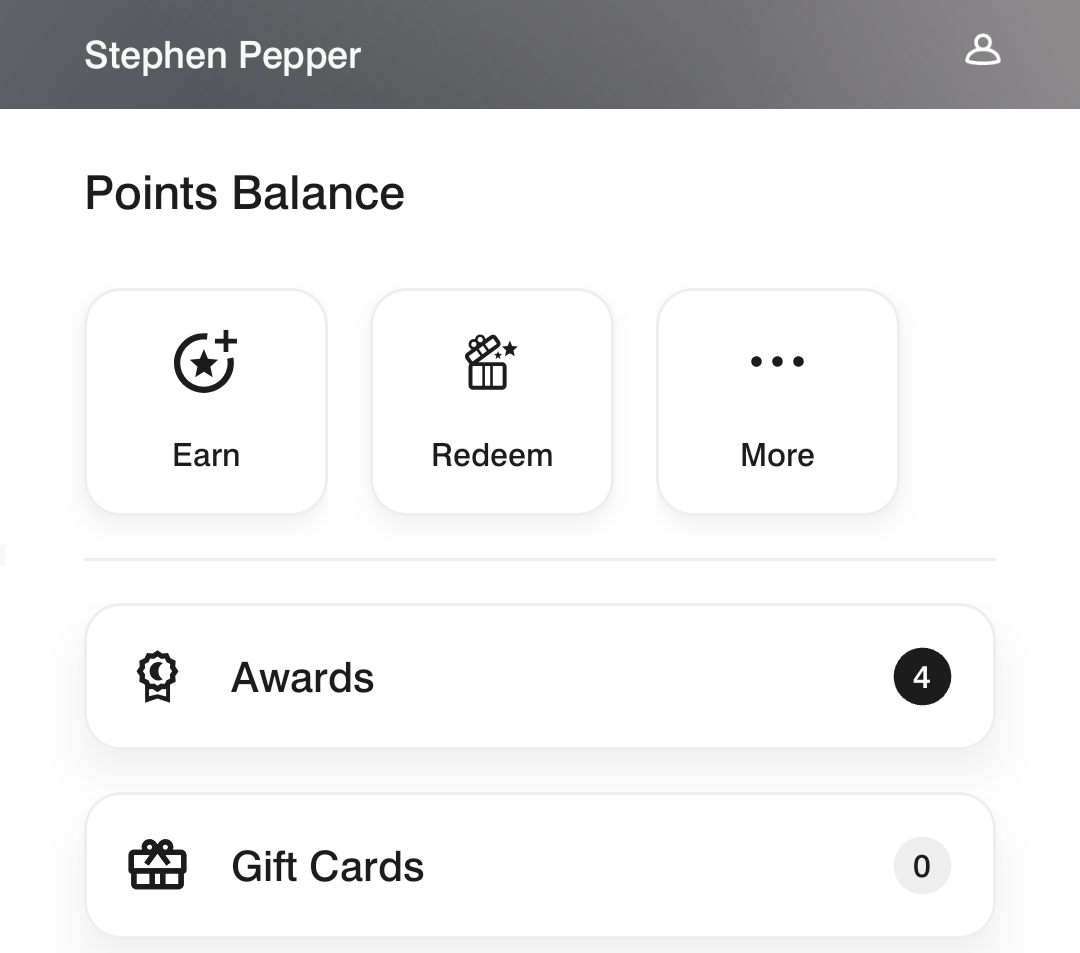
To see this new feature in the Marriot Bonvoy app, tap the ‘Account’ menu item at the bottom of the app. Scroll down a little and you’ll see your points balance, how many awards you have (like free night certificates and Nightly Upgrade Awards), and then the gift cards section.
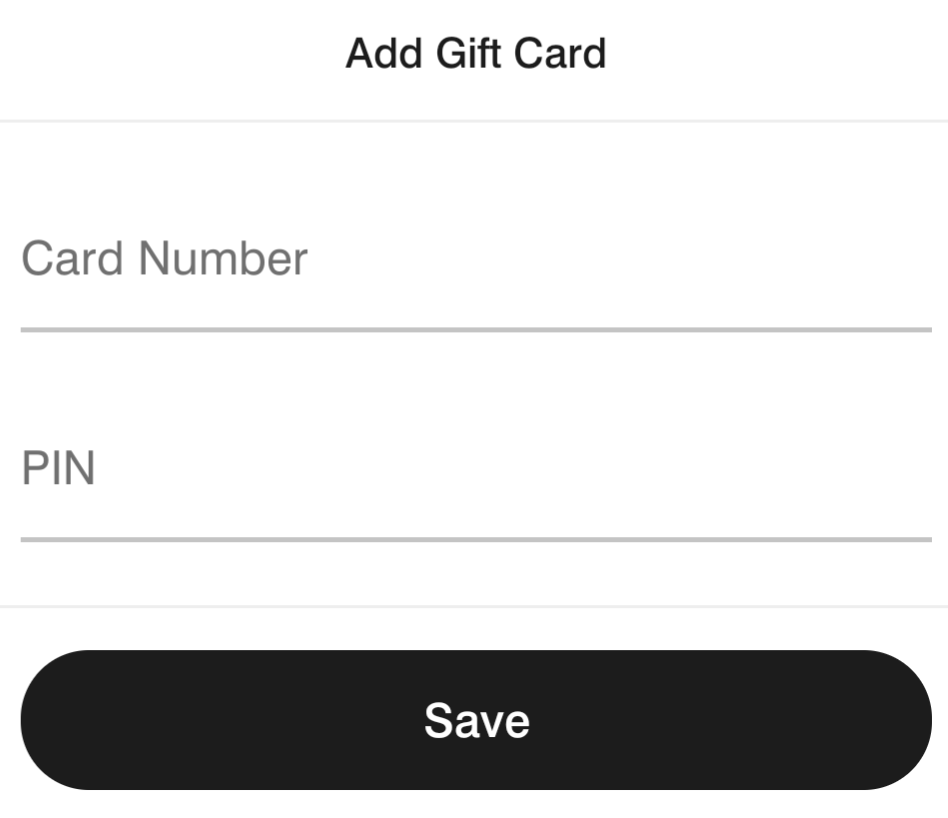
After clicking on the gift cards section, tap the button to add a gift card and a section will pop up at the bottom to add that.
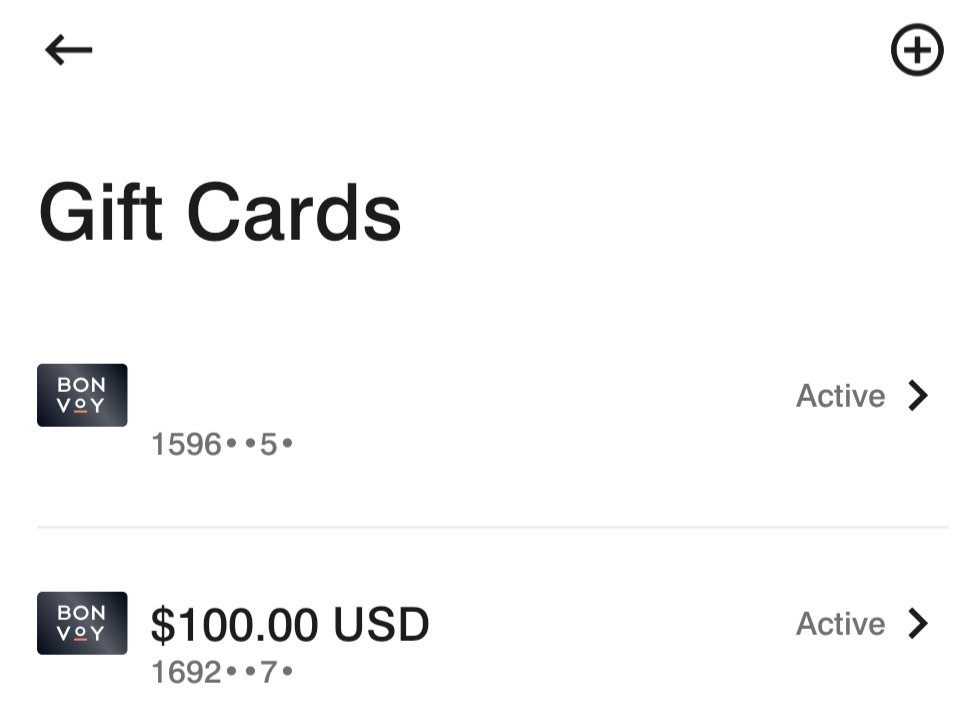
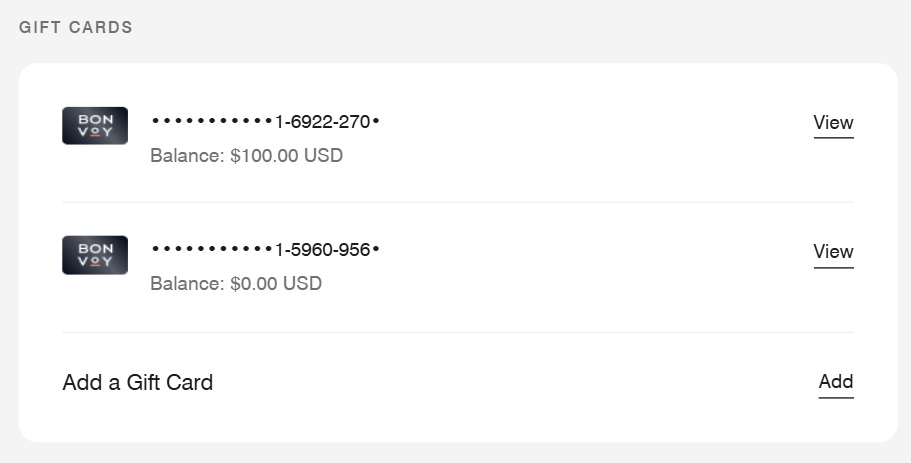
Once you’ve added one or more cards, you’ll see a list of them, along with their balances. What’s nice is that you can add gift cards that have zero balance on them; I’ll explain shortly why that can be helpful, although if nothing else it’s a way to balance check them.
Unfortunately you can’t redeem gift cards when booking stays right now. Instead, this functionality just makes it easier to redeem them at the front desk when checking out after your stay as they can all be collated in the same place.
To redeem them, click on any given card and then click on ‘Redeem Gift Card.’
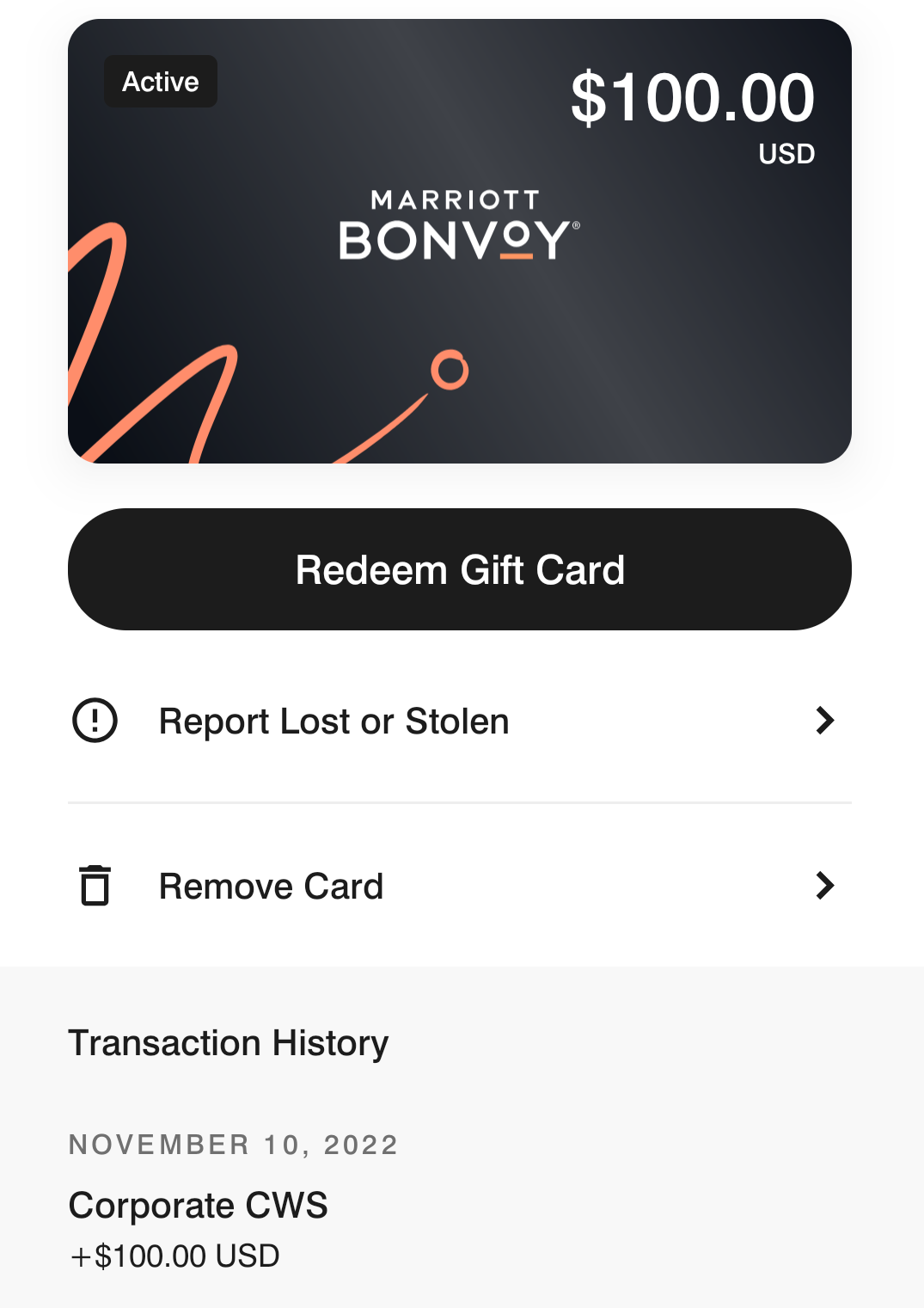
You’ll be sent a security code via text or email (your choice); after that the gift card number and PIN will be displayed.
The process for adding/redeeming cards on the Marriott website is similar, although it’s found in a slightly different location. Log in to your Bonvoy account, then tap on the ‘Profile’ section. Scroll far down and you’ll see the gift cards section beneath your saved credit card payment options.
Why this Marriott gift card feature is helpful
Every year, Marriott targets some cardholders with an opportunity to save 15%-20% when buying their gift cards. Marriott gift cards are also a redemption option (for some people) for their cashback earnings on the Capital One Shopping portal. Other people might have Marriott gift cards left over from past Daily Getaways deals, while others might buy Marriott gift cards from Giftcards.com to take advantage of card-linked spending offers and/or to trigger airline shopping portal bonuses, etc.
As a result, being able to keep an easily accessible record of the gift card numbers and PINs is helpful, rather than having them saved in various places due to the numerous ways you might have obtained them.
I mentioned earlier that being able to save gift cards that have a zero balance is also helpful. That’s due to the ability to take advantage of Marriott Amex Offers – and other similar card-linked spending offers – by buying physical gift cards at the front desk of an eligible Marriott brand to lock in the savings. Physical Marriott gift cards are useful because they can be reloaded again and again which means you can load them using Amex Offers et al more than once.
For example, let’s say there’s an Amex Offer that’s valid for Marriott’s luxury brands. You could buy a gift card at Ritz-Carlton and save it to your account, while retaining the physical card at home. You redeem it on a future stay, then a new Amex Offer comes along that’s valid at all Marriott brands. You could then take the physical gift card you’d retained at home to any other Marriott property that knows how to load another balance to it and charge you accordingly. One of the biggest issues with taking advantage of Marriott Amex Offers in this way is that it can be hard to find a property that has physical gift cards on hand. This way, you’ll always have one, but you won’t have to carry it with you for stays as the details will be saved on your Bonvoy account.
 Want to learn more about miles and points? Subscribe to email updates or check out our podcast on your favorite podcast platform.


I got two $25 gift cards for my birthday and those have a 30-day expiration. When I click “Redeem” on my Bonvoy app, nothing happens. I also don’t have any planned stays in this timeframe. Any DPs on using them for dining at a Marriott near me?
Am I understanding correctly that while not every property carries physical gift cards, every property has the ability (in theory) to reload physical gift cards?
I’d assume that would be the case, but I don’t know for sure.
Do you have much experience with successful reloads? I’m wondering what the success rate might be when asking a property if they’re able to do it.
Excellent info Stephen!!
If you were to add a zero-balance physical gift card to the app or website and then reload the physical gift card (as you describe), would the new reloaded balance automatically appear for that card on the app or website?
That’s presumably how it’ll work, but it’s such a new feature that I don’t know if anyone has had a chance to test this out yet.
Can a physical gift card still be used after that same card has been loaded onto the app or website?
Absolutely
If I’m booking with points or a free night award, can the Marriot gift card be used to cover resort fees or will I get push back from the front desk?
That’ll be perfectly fine provided they know how to actually process the gift card. You can also use it to cover other things charged to your room like food, pet fees, parking, spa treatments, etc.
Thanks Stephen! This might be wishful thinking but what about MGM Resort fees in Vegas given that they are now in the Marriott portfolio?
Unfortunately not https://help.marriott.com/s/article/mgm-collection-marriott-bonvoy
I guess I’m missing something – how is this better than just saving the gift card to your Google wallet (or Apple equivalent)?
I have three loaded. None of them are visible – gets an error message every time. I’ve been back and forth with Marriott, to no avail.
I would recommend you have a printed copy of any and carry that if you plan to redeem.
This technology rollout has not been smooth, and I’m very disappointed in Marriott.
Great if it works for you, but I caution against not keeping copies of the actual GC.
And I’ll add – it’s easier to give them a hard copy when you check in; many hotels have the night shift actually work the billing, not that clerk checking you in. Then in the am, you’ll see if it was properly annotated as they did the billing.
I usually stop by the front desk at breakfast time before I even check out and see if they adjusted my bill will the GC, and usually they have.
I agree with Fred – had I not got them out of the gift card website on time, I, too, would have had no way to retrieve them. Piss poor Marriott action on this one.
Very true. When I have a paper copy, they usually request that I leave the paper copy with them.
Marriott gift cards are a PITA, and I hope this is a step towards allowing the gift cards to be used electronically for payment. It is 2026 after all.
I am in the same boat, loaded an e gift card, shows up just fine in the list, can’t do anything with it
If only hyatt would do the same!
I have tried to use a $100 ecertificate at three different Hyatt properties and all three times they looked at me like I had two heads. Front desk telling me to call corporate, corporate telling me to talk to the front desk.
Works great except for those poor bastards that thought their giftcards were safe on the giftcard website. I was told that there’s no way to retrieve previous giftcard information if you didn’t save it somewhere yourself … nice way to retire giftcards for Marriott I guess
Can the saved Marriott GC only be used by the account holder (I.e. can’t be used by my wife with a different Marriott account number)? Any suggested workarounds for that situation? Maybe a reason not to save the card?
The gift card isn’t tied to any given name, so your wife would be able to load it to her account if you wanted. I haven’t tested yet to see if the same card can be added to two different accounts.
Transfer the GC to her account. All that’s required is the card number and PIN.
Please Share more about the redemption process. How does the front desk get/process an egiftcard?
You provide them with the gift card number and PIN, then they enter it on their system. Seeing as paying by gift card isn’t a common occurrence though, it’s not unusual to find a front desk member who’s not familiar with the process, so they might need to get a colleague to help. It’s therefore best to give yourself plenty of time when checking out, rather than when being in a rush to make a flight or something like that.
Thanks Stephen. I was hoping that the process would be less dependent on the skill set of the front desk clerk. Someday..l.
Works great, thanks!