

Award travel can be awesome when it works out well. And if you’re flexible and you learn the game, it can and does work out often enough to have kept me in the hobby for more than a decade. However, the hobby is also riddled with potential frustrations.
Lately, we’ve heard reports from quite a number of readers who have made transfers to book Japan Airlines Business Class awards only to find that those awards were phantom space (award space that is not actually bookable). Separately, I’ve recently run into frustrations with mixed cabin awards, particularly with the Alaska Airlines website displaying so little information about which legs of your trip would be in a higher-level cabin. We occasionally hear a reader story about a transfer to an award program that took much longer than expected, with award space disappearing before points hit their account.
This post will address some of those common frustrations and the things you can do to best protect yourself from them. Keep in mind that just like playing any game, there are times when the ball just won’t bounce your way through no fault of your own. Still, if you position yourself properly, you’ll catch more great deals than you’ll miss.

Phantom Space
Phantom award space has long been a problematic part of the hobby. When you step back to consider things, it is relatively amazing that airlines from across the globe are able to link up inventory and ticketing systems that are surely (in at least some cases) built on completely different backend systems.
I have to imagine that the technical issues and limitations are real. Unfortunately, that sometimes leads to programs displaying what’s known as phantom space, or award seats that appear to be available but don’t actually exist. That can be incredibly frustrating, especially if you transfer hundreds of thousands of points to a program expecting to book a specific award only to find out that it was never actually available in the first place. Transfers to individual airline programs are usually a one-way street, so there is no way to get those points back afterwards (I’ve heard very rare success reports of moving points back, but in 99% of cases, you’re just going to be stuck with your points in the program to which you’ve transferred). That’s obviously a completely unideal situation as it removes all of the flexibility advantage of having earned transferable points in the first place.
Many airlines do try to avoid displaying phantom space. I had a conversation with an airline program executive at an event last year, where he explained a scenario with an airline partner that was sending over lots of phantom award space. As a result, his program could either display all the space that comes over, some of which will be bookable and much of which will be phantom, or display none of the space. Obviously, neither solution is ideal, but I imagine that displaying phantom space leads to far more disappointment and frustration among members, so I can understand why a program would shut off the feed entirely if it is mostly receiving what are essentially false positives for award space.
Again, I have to imagine that neither program wants to show award space that doesn’t exist, but rather it’s some sort of technical back-end limitation. Unfortunately, that does happen from time to time with different programs displaying space that doesn’t exist.
The easiest “first line of defense” to identify phantom award space is to see if you find the same seats available via other partner programs. While this is no longer a blanket truth, award space that’s available to one partner is often available to all of an airline’s partners. Again, that’s not always the case these days, but it’s the easiest first line of defense against falling for the phantom space menace.
For instance, if you see awards available to book for travel on Japan Airlines via Qantas Frequent Flyer, the same awards should probably be available on the American Airlines website, the British Airways website, and even the Alaska Airlines website. If you cross-reference and don’t see those awards available to other partners, it is unlikely that they exist. This is an example of award space that I see via Award Tool that includes a leg from Boston to Tokyo on Japan Airlines, but I don’t see the same awards available via American Airlines AAdvantage, Alaska Atmos, or British Airways Executive Club.
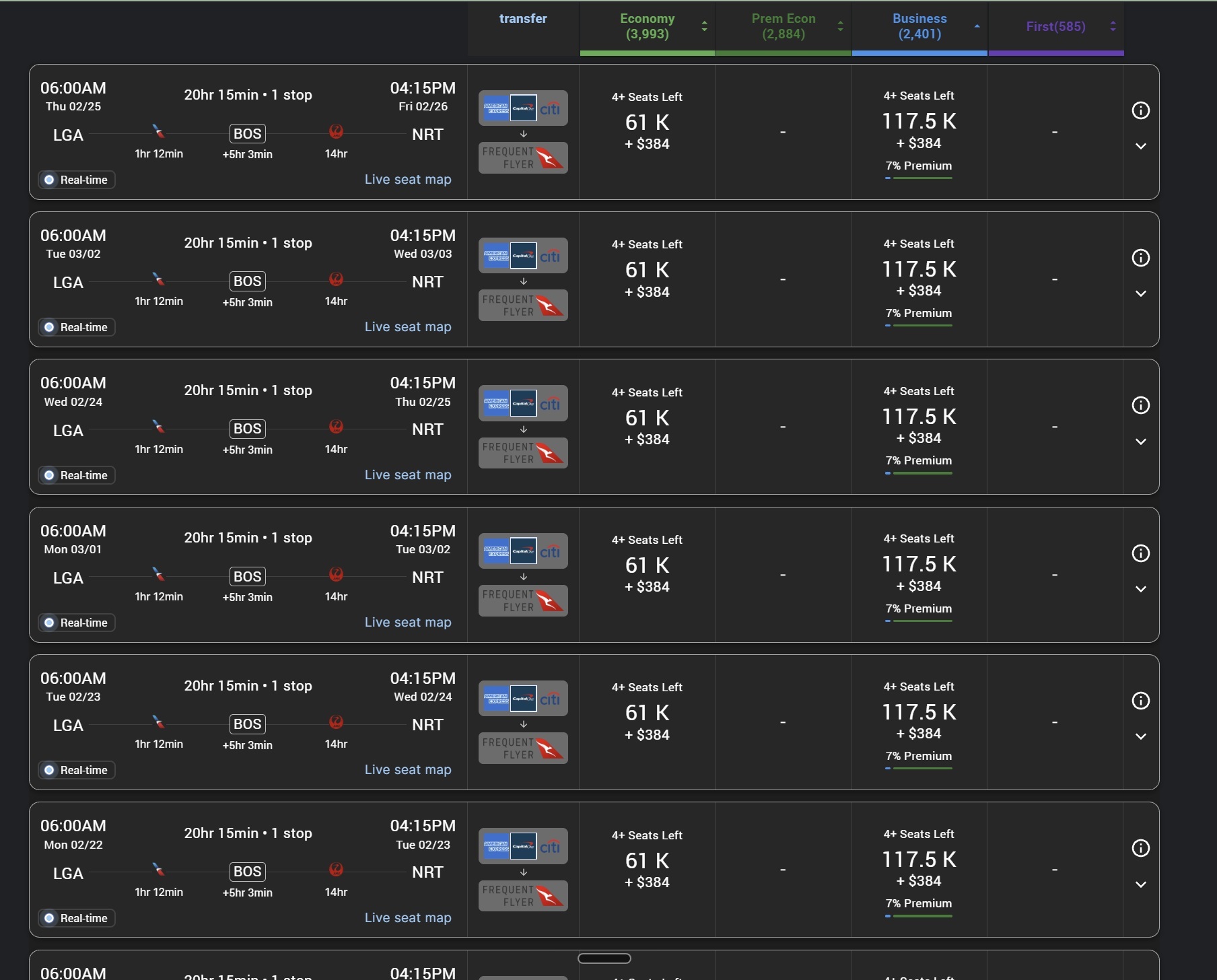
I would expect those awards are probably not actually available since I don’t see them available via other partners. It is very likely phantom space on the Japan Airlines flight from Boston to Tokyo.
Again, that’s not foolproof because some programs have now negotiated additional award space that’s available to their members for higher prices. Alaska does this with a number of its partners. For example, Alaska has access to additional award space on Qatar Airways that American Airlines can’t access. Alaska charges more for that additional award space, but it exists as an example that contradicts my advice. However, most of the commonly found phantom space issues can be identified because you won’t see the same space available via other partners. Finnair was long an offender in this category, with award space showing up on the American Airlines website for travel on Finnair that didn’t actually exist. If you checked other oneworld programs, you usually wouldn’t find that space bookable, which would be your indication that it was probably phantom space in the first place.
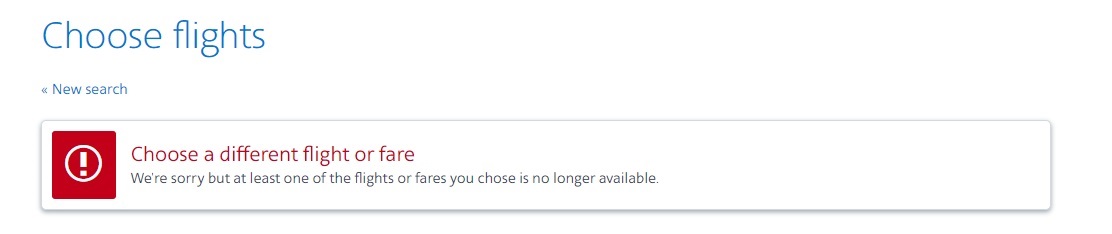
The second line of defense against phantom award space is an intuition that is more nuanced and difficult to get as a beginner. When you’ve spent a good deal of time searching for awards, you gain a recognition of space that seems unlikely to be real. For instance, if I saw through Alaska Airlines that there were four seats available in business class on Japan Airlines every day for months at a time, I would very much doubt that space actually existed. Japan Airlines simply doesn’t release that much award space on most of its routes from the United States. You’ll be lucky to find two to four seats available to partners now and then, but certainly not day after day after day. Similarly, Japan Airlines tends to only release one seat in first class (or one seat at a time), so if you see five or six or nine seats available in first class, you can rest assured that it’s probably phantom award space.
That’s not to say that kind of thing never happens. A few years ago, you may remember that the Frequent Miler team booked five seats in first class on ANA through Virgin Atlantic. I had never seen that much availability before, haven’t seen it again in the years since, and doubt that we’ll ever see that opportunity again. But the opportunity did present itself, and we did successfully book it, so this “common sense logic” is not infallible.
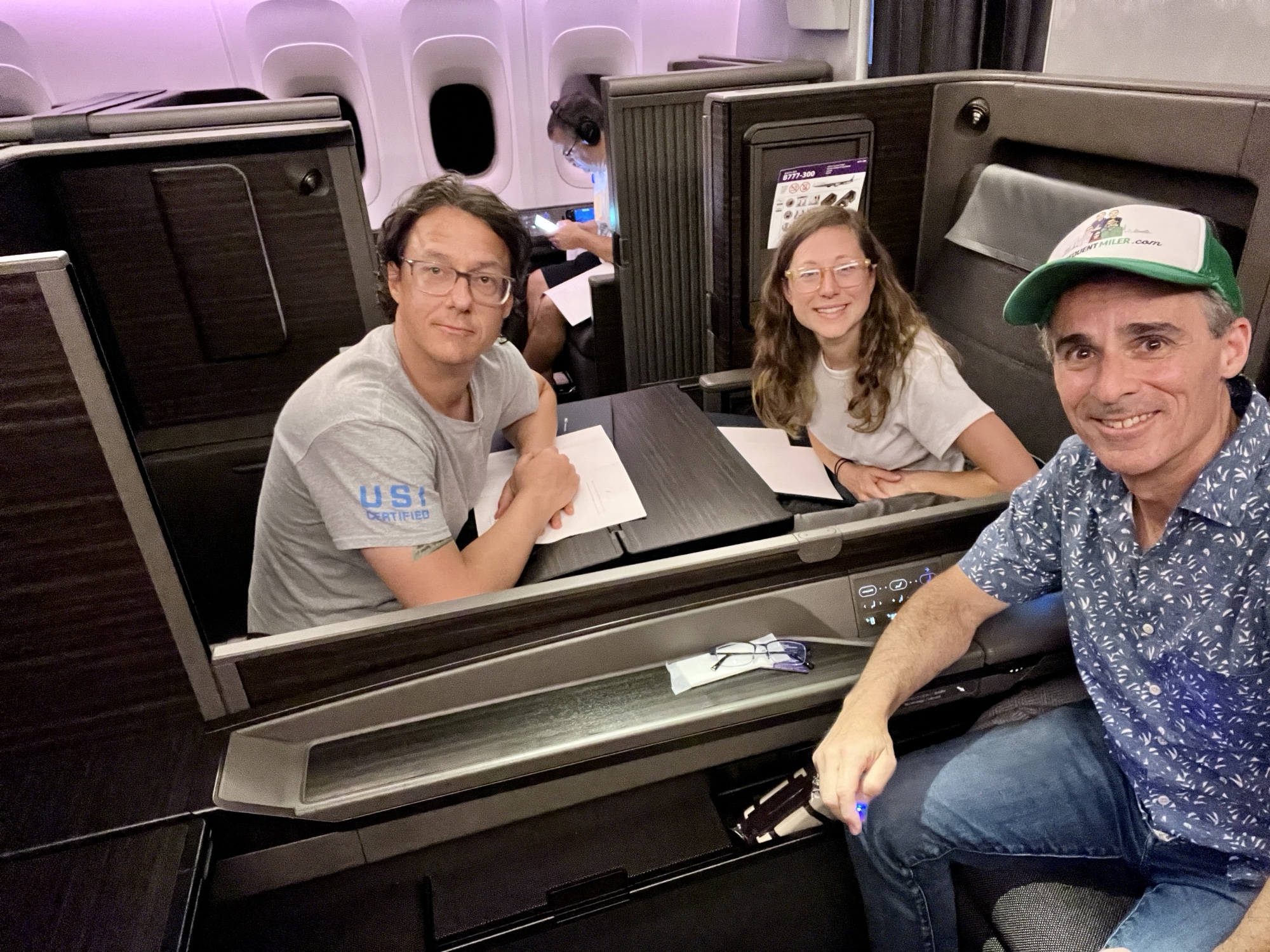
There are times when award space floodgates do open, but if I saw widespread availability day after day, month after month, on an otherwise hard-to-find award, I would be pretty skeptical. If I saw that and hadn’t seen it reported on any blogs, I’d be even more skeptical. I would probably be hesitant to transfer miles in that type of situation until I saw some success reports from other people, which is almost an inevitability in the internet age. If that type of space actually hit, you’d probably see it on blogs and certainly in our Facebook group and other similar Facebook groups as people excitedly booked up award space. Waiting to rely on others to confirm/report the space is not the most ideal way to go about searching and booking awards, but it is sort of a tool in your toolbox in determining whether the award space is real.
That said, there are programs that do routinely release four or five or even six or seven or eight business class award seats on some of their flights. For instance, I have frequently seen four seats available on Condor flights via Alaska Atmos. Lately, I’ve seen quite a bit of business class award space on Lufthansa flights. I have at times booked as many as 8 seats on Air France flights both through Flying Blue and through Virgin Atlantic.
I should note that in the past, we’ve seen issues with SWISS showing phantom space to multiple partners, but as far as I know, that’s less of an issue these days than it was a year or two ago. I’ve personally booked some of the award space I’ve seen on Lufthansa, so I expect that most Lufthansa space is real (I haven’t heard any complaints about phantom Lufthansa award space).
If you’re relatively new to award travel, it might be worth asking around in a Facebook group whether phantom space with the particular combination of airlines that you’re looking at is a common issue. You might not want to put all your cards on the table with dates and specific routings (lest someone else book it), but rather you might ask something like, “Is it common to see phantom award space on the American Airlines website when looking at Qatar Airways flights?” I might explain that I’m looking at an award where seats appear to be available, but before I transfer points, I want to know if there’s any known phantom space issue. In many cases, you’ll find that resources like our Facebook group are really helpful for this.
Despite your best efforts to avoid it, phantom space is an issue you might run into at some point. It’s happened to me (and probably most people who book a lot of awards).
I am generally more hesitant to transfer to a program that I don’t think I’ll use again in the future, so if I saw oneworld partner award space available via Qantas that I couldn’t find via American Airlines or Alaska, I’d be hesitant to transfer to Qantas since I doin’t really have a backup plan in mind for how I would use Qantas points if it didn’t work out. On the other hand, I’d be more willing to chance a transfer from Citi to American Airlines (if I saw space on AA.com that I worried might be phantom) because even if that award didn’t work out (whether because it was phantom space or I had to cancel my trip), I’d be more confident that I would eventually use AA miles to good value. I would generally advise being cautious about transfers to programs where you don’t have multiple use case scenarios in mind.
The final way that you can try to avoid phantom award space is by calling the airline program through which you would book to find out if a phone agent sees the same award available. In many cases, phone agents are searching a slightly different system. If they do not see the same award space on their site that you are seeing on the website, there’s a decent chance that it is phantom space that is not actually bookable. Keep in mind, though, that just like everything else, this method is not infallible. There are times when you may find an agent who is not completely familiar with the process for booking partner awards, or where you may simply be able to book something online that the agent can’t see. However, if the award deal sounds too good to be true, and the same award isn’t available via other partners, and the phone agent can’t see that award space either, there’s a good chance that the universe is telling you this is phantom space.
Mixed-cabin awards
I’ve really come to hate award programs that display mixed cabin awards without clearly identifying which parts of the award exist in which cabin(s). Some sites are better than others in the way that they display mixed cabin awards and even allow you to filter out mixed cabin awards.
Air Canada Aeroplan lies somewhere in between the best and worst of programs in terms of identifying mixed cabin awards. When less than 50% of the travel will be in a premium cabin, that’s indicated by a percentage being displayed in red in search results when you hover over the award price. You’ll only see that red percentage (as shown below) when hovering over the price.
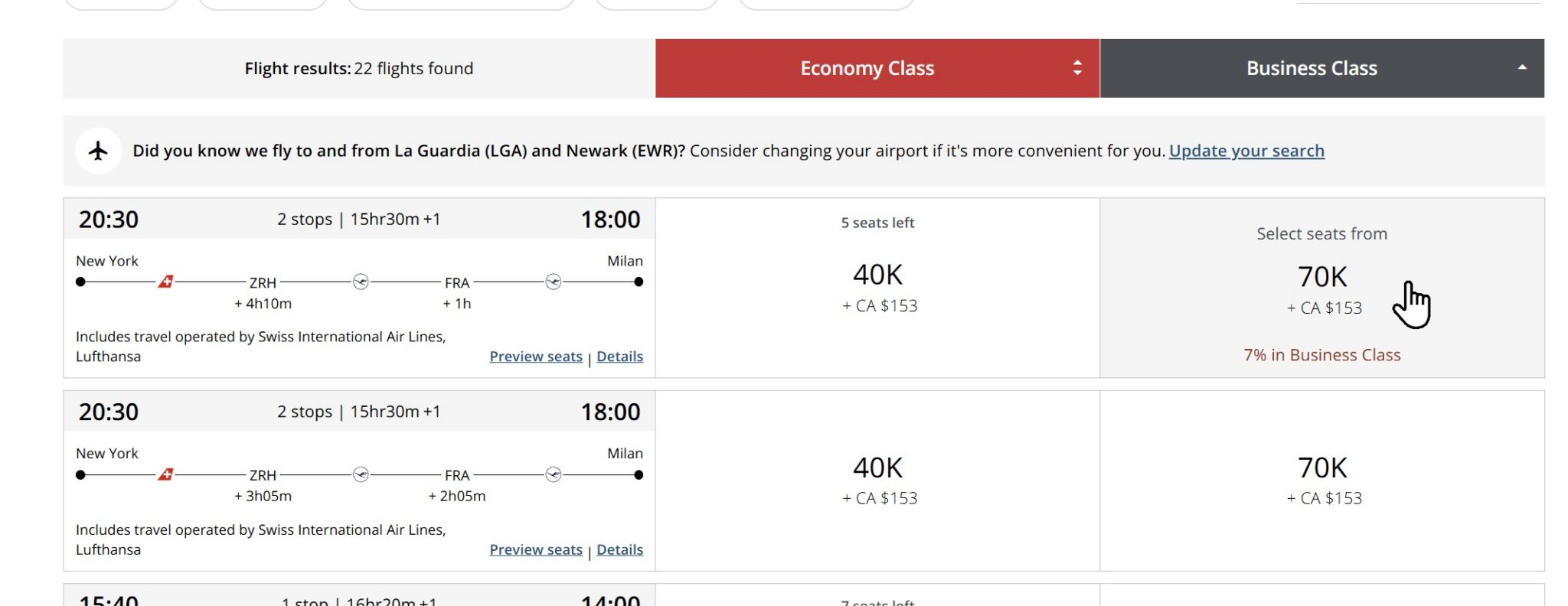
That percentage tells you how much of the award will be flown in the more premium cabin. I’ve trained my eye to just ignore anything that has red text, though you can also filter out mixed cabin awards if you prefer. Personally, I want to see mixed cabin space because it often helps me identify situations where the longest segment of the itinerary is in business class.
For instance, if you see an award where 93% of the travel is in a premium cabin, you may be happy with getting a flat bed seat for the long-haul segment.

The Air Canada Aeroplan website makes it reasonably easy to identify how much is in which cabin, and if you expand the flight details, you can pretty easily see which segments are in economy versus which segments are in business or first class.
At the other end of the spectrum, we have the Alaska Airlines mileage plan web search. Alaska’s search is awful. Frankly, I am surprised that they get away with advertising premium cabin awards with only a tiny indication that it’s a mixed cabin award (and no additional information about the mix until you’ve put the award in your cart).
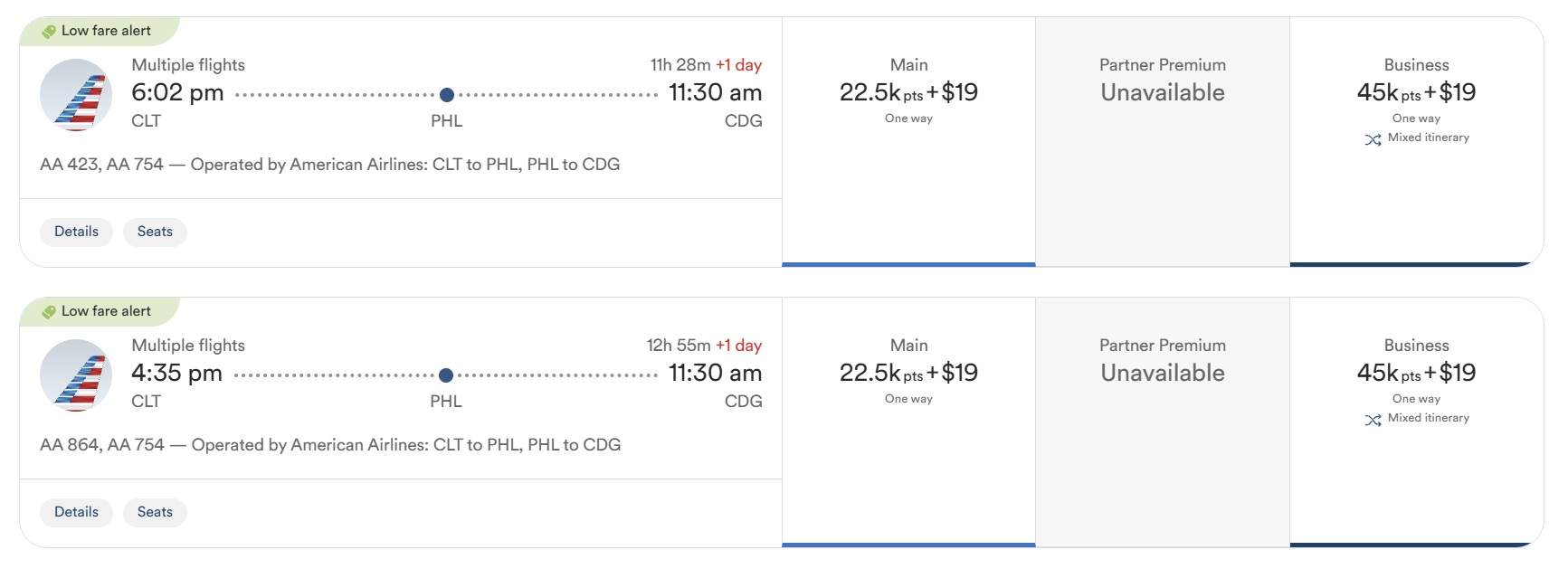
It used to be that there was an icon in the words “mixed cabin” that made it a little bit clearer, and if you clicked on that icon, you used to be able to see which segments were in coach and which segments were in business or first class. Nowadays, whether you click on details in the search results or you click on a particular flight and then try to click on the details, it just doesn’t show you anywhere which cabin each of the segments is in.
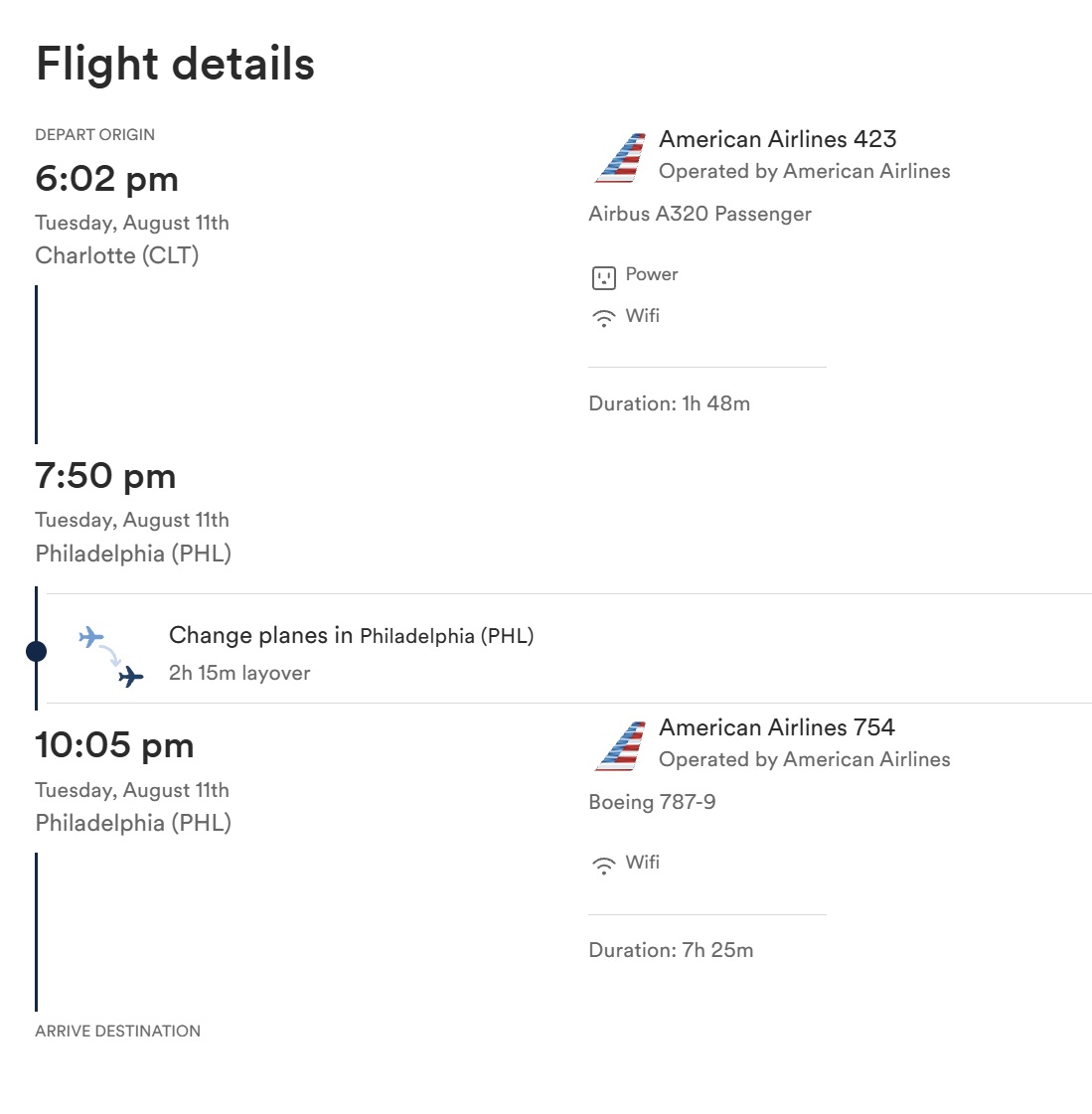
You won’t see the cabin breakdown until after you’ve added an itinerary to your cart, moving forward toward the checkout process.
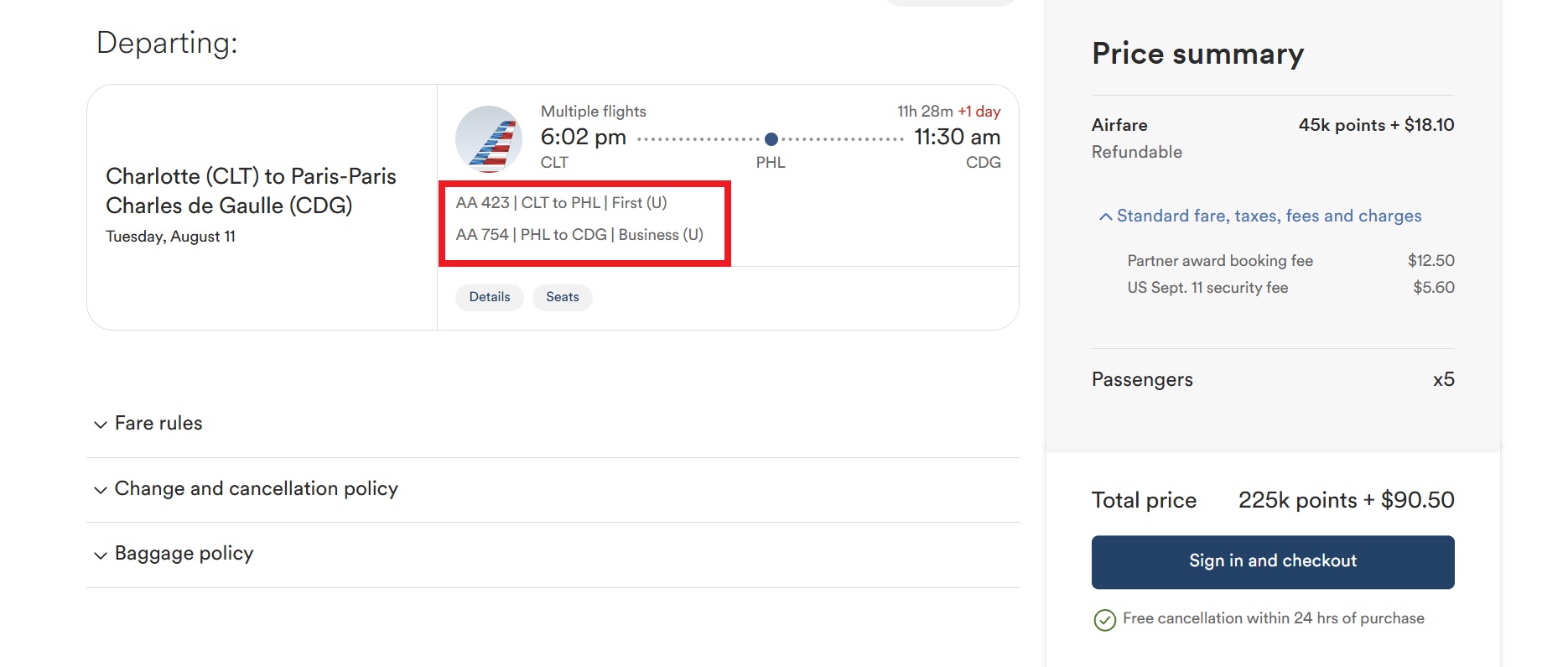
The specific example shown above isn’t problematic since it’s a combination of domestic first and international business class. However, there are times when that mixed cabin award might be comprised of a segment in domestic first followed by an international segment in economy class. You might not want to pay the business class award price for that mixed cabin itinerary, but it could be very easy to miss the details. To the untrained eye, it all just looks like premium cabin award space.
My best advice here is just to watch out. Keep a close eye on what you’re booking. The devil is in the details. We’ve occasionally heard from a reader who not only booked a mixed-cabin award without knowing about it but got to the airport to check in, only to find out they were in economy class when they expected to be in business class. I can’t imagine how unhappy I would be if I had paid the business class price for a flight to Asia or Australia, only to get to the airport and find out that the long flight across the Pacific is in economy class.
I think it’s disheartening that some programs get away with advertising those awards as business class awards, even with just a tiny segment actually flown in business class (Air Canada, I’m looking at you with those “7% business class” awards that cost many more points than an economy class award!).
Non-instant transfers
We maintain a resource page that displays the expected transfer times when transferring your points or miles from a transferable currency to individual airline or hotel programs. In most cases, those transfers are instant, as you’ll see on that resource page. There are a few specific programs where transfers routinely take anywhere from 12 hours to a couple of days, but those are relatively rare in situations that are pretty clearly identified. Even transfers that are expected to be instant can sometimes be significantly delayed. It’s not common, but every now and then we hear from a reader who has transferred to a common popular program that should be instant, like Air Canada Aeroplan or World of Hyatt, and the transfer ends up being unexpectedly delayed by days.
Sometimes a reader will write in and ask whether there’s something they could have done differently, perhaps making a smaller test transfer first or transferring smaller chunks from multiple transferable currencies. Generally speaking, I don’t think there’s anything you can do about this at all. It is rare for typically “instant” transfers to get held up for days, and it is incredibly annoying when it happens to you, particularly if the award you intended to book with the transferred points disappears between the time you initiate the transfer and the time when the points finally land in their target account.
These situations are more like bad traffic on the way to work. Maybe there’s not usually traffic. You didn’t expect there to be traffic. There was no particular event on the schedule that would indicate there would be traffic, and yet, you just get unlucky one day and get caught in traffic, and you’re late for work. There’s not a lot you can really do about that. It’s the same thing with these transfers. In some cases, there’s just no way to predict that a transfer is going to get held up.
For what it’s worth, I think you’re worse off trying to make a smaller test transfer or multiple smaller transfers from different transferable currencies. Here is why: on the back end, most of these transferable currency transfers to airline and hotel programs are handled by Points.com. If a transfer gets held up for some reason, it is unlikely that making another transfer or making multiple smaller transfers from other programs would have helped. If it was held up because of a fraud concern, you won’t look any less fraudy by transferring multiple times from multiple different programs or if you first transfer 2,000 points and then, three minutes later, try to transfer 300,000 points. If anything, you’re more likely to trigger a fraud alert by making some small test transfer and then a huge transfer a few minutes later because that’s the kind of thing that a thief would do. In my experience, the times when my transfers have gotten delayed have typically been when I’ve tried to make multiple transfers to the same program on the same day.
Your best bet is just to make the transfer and hope that your transfer doesn’t get caught in a traffic jam. Those traffic jams are really rare in the transferable currency space.
The moral of the story here is just go ahead and make the transfer as long as you know that it’s a program that offers instant transfers. Most of the time (like well over 90% of the time), that transfer will be instant.
If you get unlucky, it will be frustrating, but uncommon. If you’ve chosen a transfer partner program that you’re likely to use in the future, even if the award space you wanted is gone, hopefully, you’ll still have a chance to use those miles in the future. Keep in mind that award space ebbs and flows, so while the space you thought you wanted might have disappeared today, it’s worth continuing to check or using an award search tool to set an alert because it’s possible that space just disappeared temporarily and will come back in another day or two.
Bottom line
These are just a few common award travel frustrations that we hear about from readers from time to time. Unfortunately, these frustrations can be particularly problematic for those who are new to award travel and may not otherwise expect to need to be prepared for these scenarios.
To be clear, most award space you see in search tool results is not phantom space. My transfers to programs like Hyatt or Air Canada Aeroplan are almost always instant or near instant, but it is worth being aware of some of these things and avoiding them to the best of your ability. You may still run into one of them at some point, but being aware is the first step in avoiding potential pitfalls.
 Want to learn more about miles and points? Subscribe to email updates or check out our podcast on your favorite podcast platform.



For Aeroplan / Air Canada I recommend searching on the app not the computer. They display the acceptable mixed cabin results (ie 93% business) in white Mixed cabin text and the non-acceptable mixed cabin results (ie 7% business) in red Mixed cabin text. No hovering required. I also find the app easier without the 2FA headache of Air Canada’s website. I’d still actually book on the website, but for searching, I think the app is better.
I regularly book partner awards, usually in coach, and I generally have no problem with phantom availability. But last year I did have a problem trying to book a coach award flight on Qatar using Alaska miles. Everything was normal until I added my credit card number and then hit “pay.” The booking then wouldn’t go through. It took a few phone calls to Alaska before anyone could tell me what was going on. One agent was finally able to manually check for me what seats were actually available to book. Very frustrating, especially because I’ve had good luck finding and booking Qatar seats.
I’ve been frustrated with the Alaska mixed itinerary search recently. I’m seeing a flight to Hawaii from PHX that’s listed as a mixed itinerary in first with a layover in SAN. I don’t have enough Alaska points in Alaska to book it so I can’t put it into my cart, and I can’t tell whether it is first from PHX to SAN, and then economy from SAN to OGG or the other way around. Obviously, I don’t want it if its economy from SAN to OGG.
ETA: I didn’t realize that I could add it to my cart even if I didn’t have sufficient points. Yep, economy from SAN to OGG so that’s a nope.
One thing i noticed on Alaska’s website specifically is that if you are changing an award booking, it takes you to an older-looking UI, that does display the flight class specifically for each segment. Basically, book any award flight (on AS metal, to avoid the partner booking fee at this step), and then try to change it to the one you really want. That also helps w/ filtering out phantom availability seen on Alaska — in my experience, if it’s not showing up in this “change UI”, it’s not bookable via Alaska.
for the last point, non-instant transfers: it’s Chase. Chase is the problem and they always have been. For some reason they refuse to put in the work to get instant transfers even though Amex, Citi, Bilt, etc have solved this (outside of niche partners like ANA/EVA)