

Citi recently broke hearts with the announcement that point sharing/transfers between Citi Thank You accounts will no longer be possible as of May 17, 2026. It’s a huge bummer that it will no longer be possible to transfer Thank You points to another cardholder.
If you have multiple cards that earn Citi Thank You Points, you can still combine your own points. Phone agents don’t always know how to do this, but if you get your profile information matching correctly, you should be able to combine your own Citi Thank You accounts online without any additional help needed. Beware of phone agents who frequently give incorrect information about combining Thank You accounts.
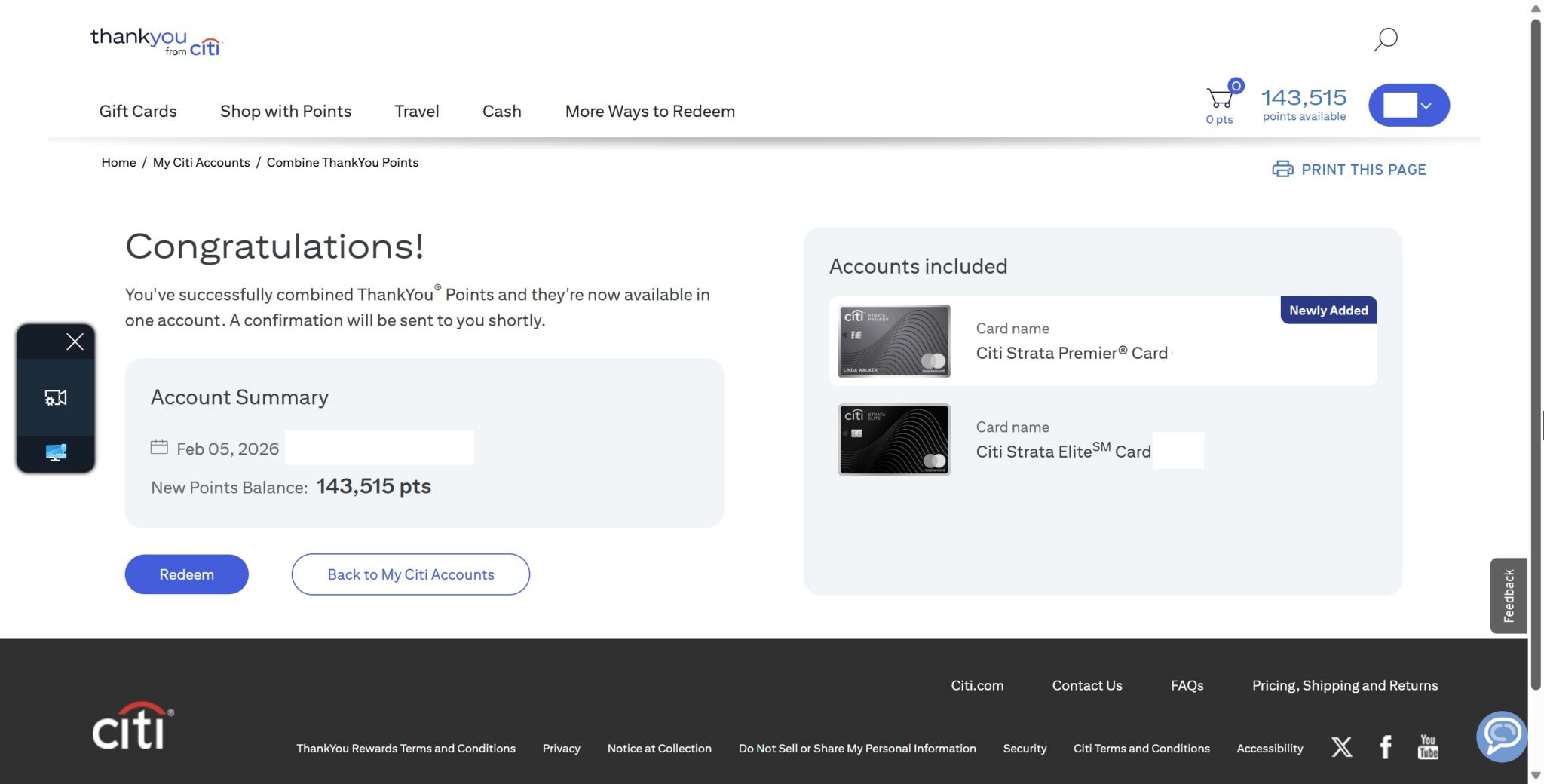
Points sharing (transferring to other accounts) ends May 17, 2026
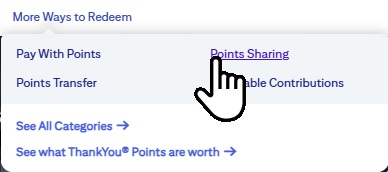
For the sake of clarity, point sharing between Citi accounts will end on May 17th. Points sharing is when you effectively transfer points from one Citi ThankYou account to another Citi ThankYou account. Historically, it has been possible to share points with any other cardholder, be they family member or friend, up to 100,000 points per year. It has also long been possible to use that same Points “Sharing” (transfer) feature to transfer points between your own ThankYou points-earning cards. For instance, in the past, my wife had “shared” (i.e. transferred) points from her own Citi Double Cash to her own Citi Strata Premier card. She did that because her ThankYou accounts were not combined at the time. That is to say that she had separate ThankYou accounts for her Double Cash card and her Strata Premier card, but she ultimately wanted to transfer points to an airline or hotel program, so she “shared” points from her Double Cash to her Strata Premier and then transferred to an airline partner.
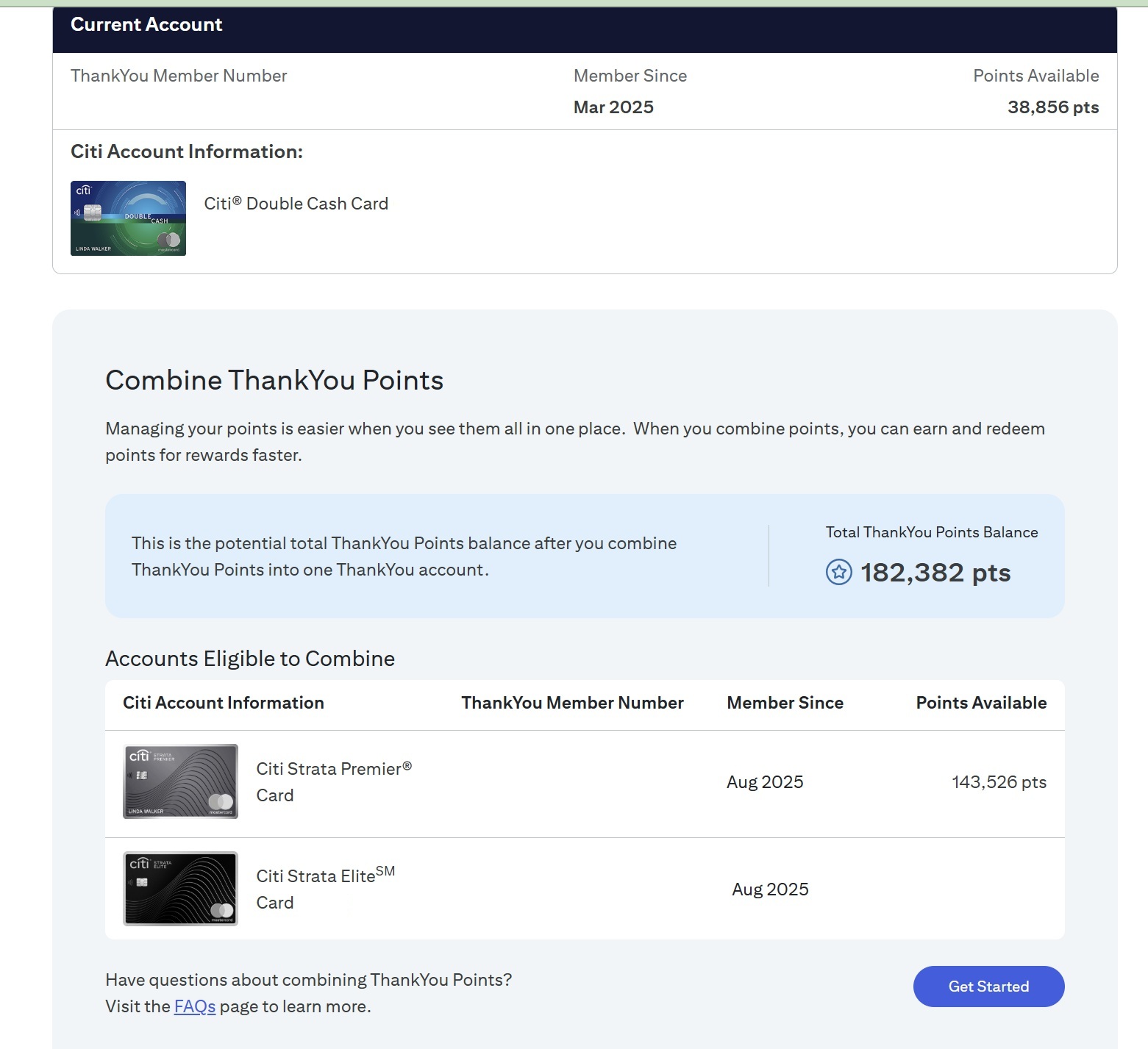
However, she has since combined her ThankYou accounts/points. She now has her Citi Double Cash, Citi Strata Premier, and Citi Strata Elite ThankYou accounts combined into a single ThankYou account, so that the points from all three of her accounts pool together into one. It is still possible to do that today, and we expect that to continue to be possible beyond May 17th.
Combining ThankYou accounts is different than sharing points
While the “Points sharing” tool shown above could historically be used to “move” points either to another cardholder or between your own ThankYou accounts, an easier way to combine forces among your own Thank You points-earning cards is to combine your ThankYou accounts. This isn’t without some disadvantages — for instance, if your points are combined, you can’t tell which points come from which card. If you combine your own ThankYou accounts and you later cancel one of your ThankYou points-earning cards, the points earned from that specific card will expire after 60 days. It isn’t easy to tell which points come from which card once you combine your ThankYou points. For more discussion as to how to decide whether combining your ThankYou points is a good decision for you, see: Should you combine ThankYou accounts?
While some readers have reported being given incorrect information from phone agents who have claimed that it is not possible to combine ThankYou accounts, you can find information about this in the Citi ThankYou frequently asked questions.
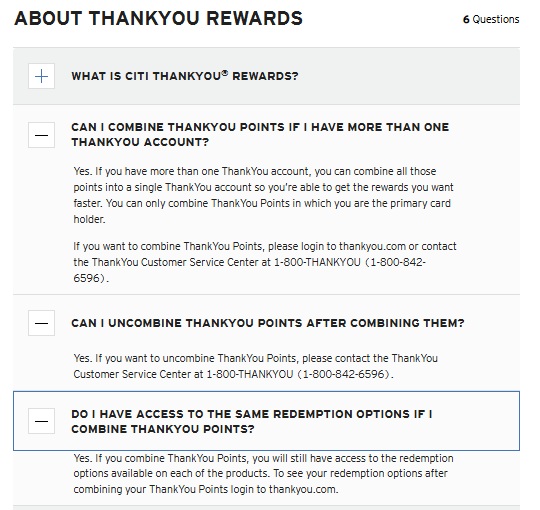
As seen in the screenshot above, it is possible to combine your ThankYou points into a single ThankYou account if you have multiple separate ThankYou accounts (which is the norm among separate ThankYou points-earning cards unless you have taken action to combine them). This functionality is only for combining your own Citi ThankYou accounts, and it can be done either through thankyou.com or by contacting ThankYou Customer Service at 1-800-THANKYOU. Note that if you call the number on the back of your credit card, you’ll be connected to Citi Customer Service, but you need to do this through ThankYou Customer Service rather than credit card customer service.
That said, you should be able to do this yourself online. However, it isn’t always easy or intuitive, especially when you run into a problem.
Combining ThankYou accounts yourself at ThankYou.com: Make sure your profiles match
When you log in to thankyou.com, you may initially need to choose which card account you want to use to access thankyou.com. Once you’ve chosen a card account, you’ll need to click on your points balance in the top right corner, then find “My Citi Accounts” in the left-side menu.
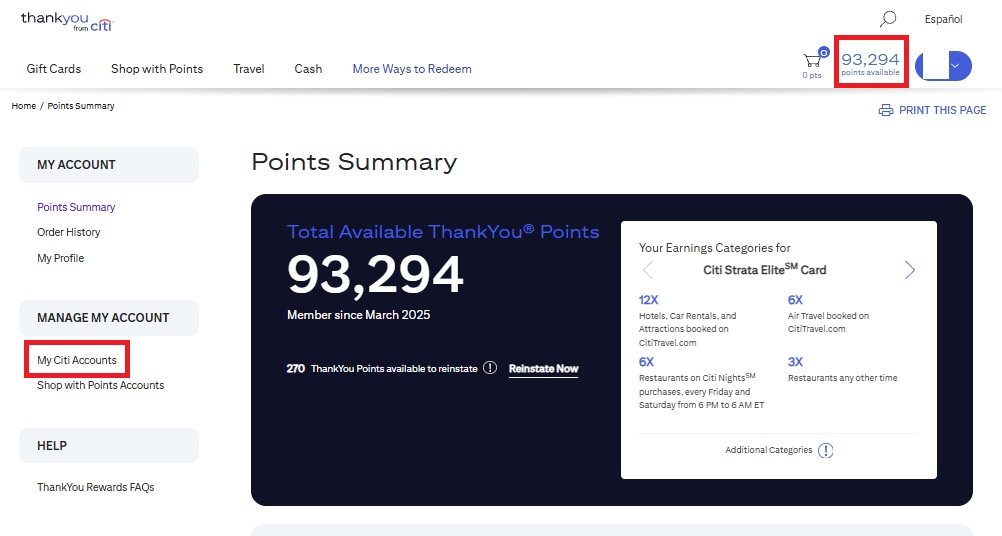
On the next page, you will see your own Citi ThankYou accounts. With any luck, you’ll see more than one account listed here, and there will be a button to combine your accounts. If you see multiple accounts and the button to combine them, it will be easy to click it and relatively intuitive to merge your ThankYou accounts together. In my wife’s case, she was able to combine her Citi Strata Premier and Citi Strata Elite accounts online without any trouble. She combined those accounts just last month.
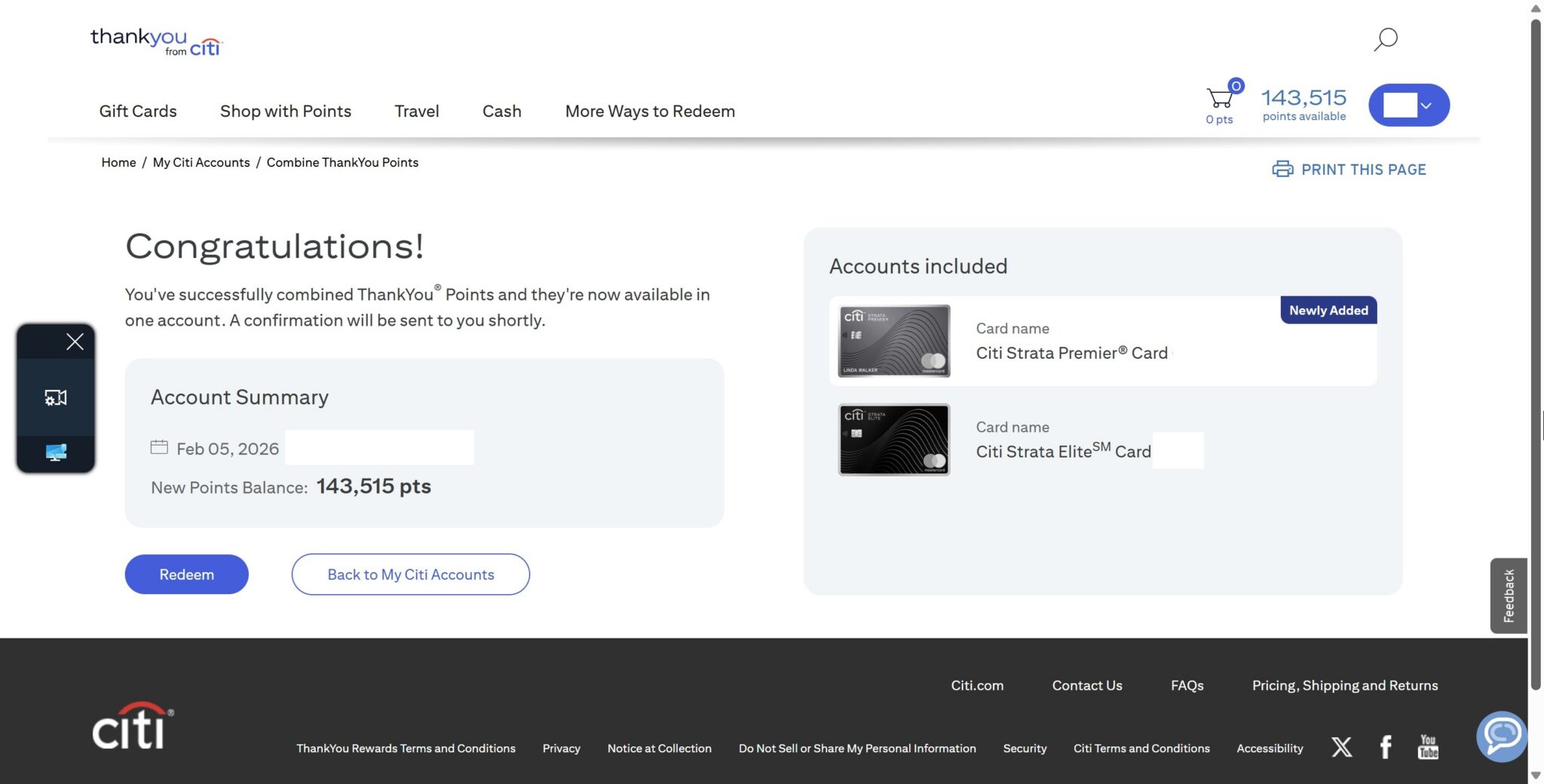
Now, when she visits her “My Citi Accounts” page, she sees multiple accounts linked to the same ThankYou member number.
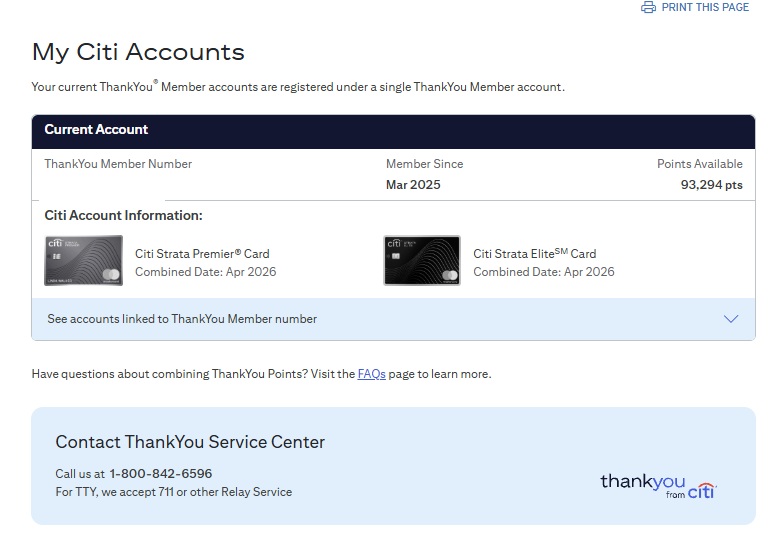
However, at first, her Citi Double Cash account did not show up with her Strata accounts when logging into thankyou.com. She could choose to log in with her Double Cash account instead, but then it brought up a separate ThankYou account number, and she did not see the ability to combine ThankYou accounts with her Strata cards.
After reading through a couple of our posts about this process and the comments from readers, I realized that the problem was likely with her profile. You will not see the ability to combine your own ThankYou accounts unless your profile information between the accounts matches exactly. When I say that the information needs to match exactly, I mean that every single field needs to be identical.
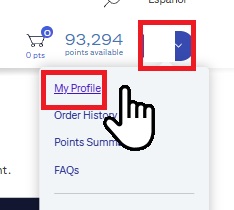
To view your profile information, you need to click on your initials in the top right-hand corner to expand the drop-down menu, where you can click on My Profile.
Once on the profile information, you need to make sure that everything matches exactly across all of the accounts you wish to combine. Pay attention to small details. In my wife’s case, her Strata cards both had a “Home Phone” and a “Mobile Phone” listed. Both fields had the same phone number, as her mobile phone is her home number.
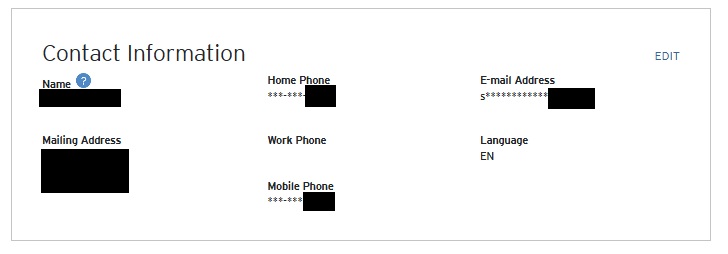
However, her Double Cash account only had a Mobile Phone listed. Her Double Cash ThankYou account had no “Home Phone” number. Even though it was the same single phone number, the fact that her Double Cash account did not have any information in that field (and her Strata cards did) is what prevented her from being able to combine her ThankYou accounts.
She edited the profile on her Citi Double Cash ThankYou account to add her mobile phone number as a “home phone” number, and voilà! As soon as that change took effect, she was able to combine her Citi ThankYou accounts, putting all of her ThankYou points in a single balance. She did this just a couple of weeks ago.
Given the fact that simply omitting a “home phone” number from my wife’s Double Cash account initially prevented combining accounts, I imagine that it is easily possible for most people to miss a small difference between ThankYou account profiles that might cause a problem here. It could possibly be as simple as an extra blank space at the end of one’s street address, or a slight misspelling of an email address, or simply having two different work phone numbers listed for different accounts that might prevent you from combining your ThankYou accounts.
Similarly, I can imagine that some phone agents may not understand the difference between Points Sharing and Combining ThankYou accounts. If you’re clear about your desire to combine accounts, a ThankYou agent should theoretically be able to help you get that done. But it is easy to imagine a communication lapse or even an agent who doesn’t realize that there is a way to combine points that isn’t “sharing” points. Don’t be shocked if you find an agent who can’t figure out how to help; just hang up and call again if the first phone agent can’t help (or check your profile information very carefully, as that should help make self-service an option).
Bottom line
While Citi has announced the end of Points Sharing as of May 17, 2026, it remains possible to combine your own Citi ThankYou accounts if you have multiple cards that earn ThankYou points. If you do this, it would be more advisable to downgrade cards in the future than to cancel them outright in order to avoid losing points to expiration. However, many cardholders will find the convenience of “combined” / pooled points to be well worth the hassle. Note that it is not possible to combine ThankYou accounts with other cardholders (such as a household member); you’ll only be able to combine your own ThankYou accounts. Still, it might be worth considering this sooner rather than later, just in case Citi decides to limit that functionality as well — though, at this point, we have no indication that anything will change with regard to combining Citi ThankYou points.
 Want to learn more about miles and points? Subscribe to email updates or check out our podcast on your favorite podcast platform.



I combined my Thank You points earning Citi Accounts over the phone with a customer service representative. Now they all have one unified ThankYou Member Number instead of 3 separate ones. The unified TY member # came from my Strata Elite account. The customer service representative’s explanation of this new TY account structure made it seem like if I cancelled the non-Strata Elite cards then the TY points wouldn’t expire.
I have a former Sears Thank You card which was changed to a Citi Thank You card about a year ago. When this change took place I also had a Citi Aadvantage World Elite Business card. I called and tried to add the new Thank You card to my app and was told that this new Thank You card doesn’t have an app, just a website. After listening to your podcast, I decided to try to add this card to my Citi app again. I called, but was told the same thing as I was told a year ago. When I asked what was different from this card from other Citi cards, I was told that it was a “retail” card, but the agent could not tell me what that meant. She just started screaming that a retail card was one that had only a website and not an app. It was kind of surreal how quickly she got upset. When I told her I still didn’t understand, she put me on hold and about 15 minutes later the recording informed me that the waiting time was over 30 minutes. Sigh. While I waited, I tried to link the accounts myself online and I did find that my old Thank You card still had my old home number. However, it still would not allow me to link it to my other account or add it to my app. So, my question is, can I link a card that earns Thank You points to a card that earns AA miles? Also, is it true that this particular card cannot be added to the app at all? Needless to say, I did not wait to speak to someone. Just wondering if it is worth it to call again or if I’m trying to do something that is not possible.
Hey guys I asked this in another post but didn’t get an answer so I’ll try again. My wife downgraded her Citi Premier to Preferred and I have a Strata Elite. If I move her points to me I should be able to move those to AA and they would come out of my balance “First” right? I guess I can try it with 1000 to make sure but figured I’d ask anyway.
Yes they would be used first
I’m not clear on this. Are you saying the wife’s points (on 90-day clock) won’t be transferred to AA first? This would mean all points must be transferred within 90 days to ensure the shared points are used.
Your wife’s points would be used first.
This was super helpful. My wife had the same issue with a phone number mismatch. Thanks!
If I combine my own points from Strata Premier and Strata, and later cancel the Premier card. Would the points from Premier expire or stay in the Strata card?
They would stay in the same TYP account, but you’d only have 90 days to use them before they’d expire. Unlike Amex or Chase, having another TYP-earning card doesn’t keep them from expiring. If you downgrade it to another fee-free card that earns TYP, all the associated points would remain active.
Also, remember that the Strata without the Premier has reduced transfer rates, so if you canceled the Premier and don’t have the Strata Elite, all of those Premier points would then be subject to those lower rates until they expire.
Thank you Tim, you save me from an unpleasant surprise !
Is there any strategy as to which card’s associated ThankYou point account they get combined into?
Can you combine the TY points from the old SYW card that turn into a Citi TY card with the points from the “normal” Citi line up?
It is showing me the option of doing that with at least one of my normal Citi cards.
Yes. Mine are combined.
Thanks, guys! I’d been tripped-up on this for years, but after updating the phone numbers it worked as you described.
DP – both accounts matched under the profile. Both had the Home Phone blank, but I did notice an asterisk by this field. So, we added Home Phone number to both profiles and then it showed up being able to combine. Thanks for the article 🙂
No luck for me. On the normal Citi website when you make a contact info change you can select to apply to all the other cards. I did this but on thankyou.com I only see my Strata, not my double cash.
If you change the thankyou.com login to the Thank You Mastercard option, it just logs you into the normal Thankyou Mastercard site and moves entirely away from thankyou.com
Your issue seems to be that you need to make changes to the thankyou.com website and not the normal Citi website. I had to start from the normal Citi website, click “View / Redeem” (first on Strata), then click “More ways to redeem” or “More Redemption Options”, and then finally make the profile updates on the thankyou website.
Importantly, you then need to repeat the process, but starting with the other card on the normal Citi website, and just ensure the thankyou profile info for the second card matches the first card. Hope that helps, but don’t go stealing my redemptions, bruh.
Thank you so much!
I happened to call in and got the Thankyou Mastercard tied to my Strata.
To get the Strata+Thankyou MC combined with my double cash I followed your steps. My 2x$ info was not the same. Updated that and was able to combine everything.
Out of curiosity, are we able to combine/transfer Amex points at all?
Amex points are automatically combined by Social Security number, so if you get multiple Amex cards, your Membership Rewards points will automatically get pooled into one pile. There’s no way to share your Amex points directly with someone else.
However, American Express allows you to transfer your Amex points to the loyalty account of anyone who has been an authorized user on one of your Membership Rewards-earning cards for at least 90 days. So in my household, player two has an employee card on player one’s Blue Business Plus and vice versa. That way, we can each transfer to the other person’s loyalty accounts if we need to. Since that card has no annual fee, neither of us intends to close it. We should maintain that over the long haul.
Just some data points which aren’t covered in the article that I have hit twice when combining accounts for family members. It is possible that the Combine Thank You Points option will show up but it errors out every time. Happened to us–we had to call in. The problem alluded to in the article is that two fields didn’t match up but the issue for us was those fields did not appear under Profile. One credit card field invisible to the user had a birthdate and the other credit card field invisible to the user had that field blank. We didn’t know this (because the website didn’t show a birthdate field) and a CSR spotted it and was able to combine accounts. The same thing happened to us for a different family member, and at least this time we were able to tell the CSR where to look on their computer to find the discrepancy. Thought I’d throw this out in case it helps someone in the future.
Thank you! I matched the profile exactly between Double Cash and Strata Elite. But I still ran into error message (see below). I suspect I also have mismatch in fields that are not visible to me. I will call and ask them to check. Thanks again in sharing your experience.
We’re SorryThe rewards site has encountered an unexpected problem.
Please try again now, or check back later to redeem your points for amazing rewards.
Thank you for your patience.
thanks for this! I had no idea you could do this online and had always just called (I had a similar issue where my phone numbers weren’t matching)
Not happy that moving forward all players in my household need their own premier card (annual fee). In past only needed one, since just shared points.
Downside is once you share/transfer points to another person they have an expiration date.
You can thank the “brokers” (those buying/selling points) for this limitation – it’s clearly designed to stop (or at least limit) that.
I have no intention to renew Strata Elite once AF hit this July or aug after how they treat me and many others with lockdown antics last September. However, I just got Strata Premier. Should I combine them to Premier first before downgrade CSE to Double Cash or it don’t matter?
It doesn’t matter whether you combine before or after, as long as you’re keeping it as a ThankYou rewards card